Short answer
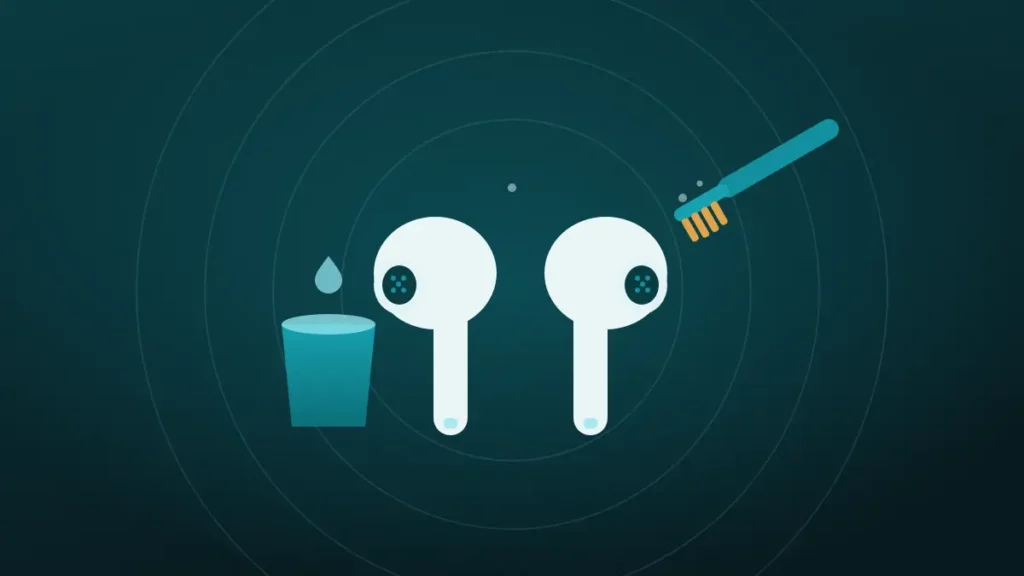
Clean AirPods mesh with a soft children’s toothbrush dipped in micellar water, brushing in small circles and then blotting. Repeat three times, rinse with distilled water and dry for two hours. Never use pins or running water.
One AirPod has gone quiet, or both sound flat, and the little black grille has turned a dull yellow-grey. The instinct is to scrape it with whatever is nearest, be it a toothpick, a pin or a blob of putty.
Most cleaning guides still say to keep AirPods bone dry and pick at the wax. Apple now publishes a different method, with a liquid in it, and it is gentler on the mesh than anything pointed. The details matter, so they are set out below.
Which Mesh Are You Cleaning?
An AirPod has several small grilles, and they do different jobs. Knowing which is which avoids scrubbing the wrong one.
The largest is the speaker mesh, which sits where sound enters the ear, under the silicone tip on AirPods Pro. Apple calls it the snorkel mesh on some models, and it is the one that affects volume.
Smaller openings are vents and microphones. Vents let air pressure equalise, and Apple names one the control leak mesh. Microphones sit on the outside of the bud and at the end of the stem.
Wax blocks the speaker mesh most often. A blocked vent changes the bass, and a blocked microphone affects calls and noise cancellation. Apple’s method covers all of them on recent models.
What Clogs an AirPods Mesh
Earwax does, mixed with skin oil and a little dust. That is a different kind of dirt from the lint that fills a phone speaker.
Wax is soft and oily when warm, and it sets as it cools. Each time an AirPod goes into an ear it picks up a thin smear, which hardens in the case overnight. Layer by layer it closes the holes in the mesh.
That explains why dry brushing often disappoints. Bristles skate over a waxy film without lifting it, and picking breaks off the surface while pressing the rest deeper.
Wax is normal and not a sign of dirty ears. Earbuds sit in the canal and collect whatever is there, and some people simply produce more.
What Does Apple Say to Use?
Apple’s cleaning pages for AirPods list a short kit, and one item surprises most people.
| Item | What it is for |
|---|---|
| Micellar water containing PEG-6 caprylic/capric glycerides | Loosens wax and skin oil |
| Distilled water | Rinses the micellar water off |
| Soft-bristled children’s toothbrush | Works the liquid into the mesh without scratching |
| Two small cups | One for each liquid |
| Paper towel | Blots the mesh between passes |
Micellar water is the makeup remover sold in any pharmacy. Apple names the ingredient to look for, so check the label before buying. It also mentions a Belkin cleaning kit as an alternative.
The full method is on Apple’s page for cleaning AirPods, with a matching page for AirPods Pro.
How to Clean AirPods Mesh, Step by Step
The routine takes about ten minutes, plus drying time. On AirPods Pro, pull the silicone tips off first.
- Pour a little micellar water into one cup.
- Dip the toothbrush until the bristles are soaked.
- Hold the AirPod with the mesh facing up.
- Brush the mesh in small circles for about 15 seconds.
- Turn the AirPod over and blot the mesh on a paper towel.
- Repeat the dip, brush and blot twice more, for three passes in total.
- Rinse the brush in distilled water, then do three more passes using distilled water.
- Leave the AirPods to dry for at least two hours before using them or returning them to the case.
Two details carry most of the benefit. Brushing with the mesh facing up keeps liquid on the surface where the wax is. Blotting with the mesh facing down draws the loosened wax out and into the towel.
The distilled-water rinse is easy to skip and should not be. It removes the micellar water, which would otherwise dry on the mesh as a film.
Why Micellar Water and Not Alcohol?
Apple does not explain its choice, though the chemistry is not hard to guess. Micellar water is a very mild cleanser made to lift oil from skin without scrubbing. Earwax is mostly oil and dead skin, so it responds to the same treatment.
Plain water does little to wax, which is why a damp cloth never clears a mesh. Alcohol dissolves some of it and evaporates so fast that it tends to move wax around instead of lifting it out.
Apple keeps alcohol to the outside. Its guidance allows a 70 percent isopropyl wipe on the exterior surfaces of AirPods and says not to use it on the speaker mesh. For the charging case, a cloth lightly dampened with isopropyl alcohol is permitted.
Which AirPods Does the Method Apply To?
Apple lists the wet-brush method for its water-resistant models. Older AirPods have no such rating and should be kept dry.
| Model | Water resistance | Mesh cleaning |
|---|---|---|
| AirPods 1 and 2 | None | Dry soft brush and dry cotton swab only |
| AirPods 3 | IP54 | Micellar water method |
| AirPods 4 | IP54 | Micellar water method |
| AirPods Pro 1 | IPX4 | Micellar water method |
| AirPods Pro 2 | IPX4 or IP54, by version | Micellar water method |
| Newer models listed by Apple | Up to IP57 | Micellar water method |
| AirPods Max | None | Different design, cushions removed and wiped |
Those ratings are for sweat and splashes. Apple states that AirPods are not waterproof or sweatproof and that the resistance can diminish over time. That is why the method uses a damp brush and never a tap.
Ear Tips, Stems and the Charging Case
The mesh is one part of the job. The rest is simpler and uses even less liquid.
| Part | How to clean it | Avoid |
|---|---|---|
| Silicone ear tips | Pull off, rinse in plain water, dry with a lint-free cloth | Soap and household cleaners |
| Body and stem | Wipe with a cloth slightly dampened with fresh water | Soaking, or liquid in the openings |
| Charging case, outside | Soft, dry, lint-free cloth, or one lightly dampened with isopropyl alcohol | Abrasive materials |
| Charging case, inside | Dry soft brush for the wells | Liquid in the charging port |
| Charging contacts in the case | Dry brush or dry cotton swab | Anything metal |
Ear tips must be completely dry before they go back on, and they click into place when the oval on the tip lines up with the oval on the bud.
The case deserves more attention than it gets. Wax and lint collect at the bottom of each well, and a bud that sits on that debris may not charge properly.
What Damages the Mesh
The mesh on an AirPod is finer than the one on a phone speaker, and the driver sits very close behind it. Popular shortcuts go wrong quickly.
| Method | What it does |
|---|---|
| Pin, needle or SIM tool | Punctures the mesh or pushes it in |
| Wooden toothpick | Presses wax through the holes and can dent the mesh |
| Compressed air | Drives wax and moisture inward |
| Running water | Exceeds what the seals are built for |
| Alcohol or peroxide dripped on the mesh | Carries dissolved wax through to the driver |
| Sucking on the mesh | Works briefly, and is as unhygienic as it sounds |
| Scraping with a fingernail | Packs wax into the weave |
Apple’s own warnings are short, telling owners not to run AirPods under water and not to use sharp objects or abrasive materials.
A dented mesh cannot be pushed back out, and a torn one lets wax straight through to the driver, so the bud keeps getting quieter.
Does the Putty Trick Work?
Sometimes, for surface wax. Pressing cleaning putty or adhesive tack on the mesh and pulling it away lifts loose flakes, and many people swear by it.
It has two weaknesses. Pressing pushes soft wax further into the mesh before the putty grips anything. And cheap or warm putty can leave a fragment behind in the weave, which is harder to remove than the wax was.
If putty is used at all, dab it lightly and never press. For wax that has set, Apple’s wet-brush method does more and risks less.
Why Are AirPods Quieter After Cleaning?
Usually because the mesh is still wet. A film of liquid across the holes blocks sound just as wax does, and it clears as the AirPod dries.
That is the reason for the two-hour wait. Use them sooner and they may sound worse than before, which leads people to assume the cleaning failed. Leave them out of the case, mesh down on a paper towel, and test again later.
If they are still quiet once fully dry, some wax was loosened and not removed. A second round, with careful blotting, normally finishes the job.
One AirPod Quieter Than the Other
Uneven volume is the most common complaint, and wax is only one of several causes.
| Cause | Check |
|---|---|
| Wax on one mesh | Compare the two meshes under a light |
| Audio balance off centre | iPhone Settings, Accessibility, Audio & Visual, Balance |
| Poor seal on one side | Try a different tip size on AirPods Pro |
| One bud low on charge | Check battery levels for each bud |
| A blocked microphone or vent | Noise cancellation sounds uneven |
| A failing bud | Still quiet after cleaning and a reset |
Check the balance slider before anything else. It takes ten seconds, and a slider nudged to one side produces exactly this symptom.
Then compare the meshes. Ears are not symmetrical, and one side often produces more wax, so one bud clogs first.
If AirPods Got Wet or Went Through the Wash
Rain and sweat are within the rating on recent models. A swim, a shower or a washing machine is not.
Apple’s advice is brief. Wipe the AirPods with a soft, dry, lint-free cloth and let them dry completely, for at least two hours, before using them or putting them in the case. A wet bud in a charging case is the thing to avoid.
After a wash cycle, give them much longer, and a full day in open air with the case left open is sensible. Skip heat, rice and compressed air. Many AirPods survive a wash, and those that do not usually fail in the battery or charging contacts.
How Often Should AirPods Be Cleaned?
It depends on the ears wearing them. A quick wipe with a dry cloth after use keeps most wax from setting.
A sensible routine has three parts. Wipe the buds dry every few days, and look at the meshes every couple of weeks. Use the full wet method when wax is visible or the sound has dropped, which daily wearers and gym users will reach sooner.
Apple adds a point about skin. It suggests cleaning and drying AirPods after workouts, since sweat and residue left on the buds can irritate the ear.
When Cleaning Will Not Fix It
Some AirPods stay quiet or distorted with a spotless mesh. At that point the cause is inside, and more brushing will not reach it.
Keep cleaning when:
- Wax is still visible on the mesh under a light
- The sound improved after the first round
- The bud was used before it had dried
Stop and contact Apple when:
- The mesh is clean and dry and one bud is still much quieter
- The sound crackles or carries static
- The mesh looks dented or torn
- The bud will not charge or connect reliably
Apple has run a service programme for AirPods Pro sound issues, covering crackling and faulty noise cancellation on some first-generation units. It shows that buds can fail without any help from the owner.
For general earbud care beyond AirPods, see how to clean earbuds safely at home and why earbuds get quieter over time.
Frequently Asked Questions
Can You Clean AirPod Mesh?
Yes. Apple publishes a method for recent models that uses micellar water, distilled water and a soft children’s toothbrush. Brush the mesh in circles, blot it on a paper towel and repeat, then leave the AirPods to dry for at least two hours.
Can You Use Alcohol Wipes on AirPods?
On the outside, yes, since Apple allows a 70 percent isopropyl wipe on the exterior surfaces of AirPods and says not to use it on the speaker mesh. For the mesh, use micellar water followed by a distilled-water rinse.
How Do You Get Earwax Out of AirPods Mesh?
Dissolve it instead of digging it out. Dip a soft children’s toothbrush in micellar water, brush the mesh in circles for 15 seconds with the mesh facing up, and blot on a paper towel. Do that three times, rinse the same way with distilled water, and let the AirPods dry.
Can You Take the Mesh Out of AirPods?
No. The mesh is fixed in place and is not meant to be removed. Prising it out damages the bud and removes the only barrier protecting the driver. A damaged mesh means a service visit, since no replacement part is sold to owners.
How Do You Fix AirPods That Sound Muffled?
Clean the speaker mesh first, since wax is the usual cause. Let it dry fully. Then check the audio balance, the ear tip fit on AirPods Pro and the battery level of each bud. If one stays muffled with a clean, dry mesh, contact Apple.
Is It Safe to Use a Toothpick on AirPods?
No, because a toothpick presses wax through the mesh and can dent or tear it, and Apple warns against sharp objects. The driver sits close behind the mesh, so even a light poke can do damage that cannot be reversed.
Can AirPods Cause Earwax Buildup?
They do not make ears produce more wax, as far as is known, though any earbud can hold wax in the canal and collect it on the tip. Wax on AirPods is normal. See a doctor if ears feel blocked or sore.
Why Do AirPods Have Mesh?
The mesh keeps wax, dust and moisture away from the tiny driver and microphones while letting sound through. It is also part of how the buds manage air pressure. That is why a torn or blocked mesh changes the sound so noticeably.
Conclusion
The safe way to clean AirPods mesh is the one Apple describes. Use micellar water on a soft children’s toothbrush, brush in circles with the mesh up, blot, repeat three times, rinse with distilled water and wait two hours.
Keep pins, toothpicks, running water and compressed air away from it. If a clean, dry AirPod is still quiet or crackling, the fault is inside and belongs to Apple.