Short answer
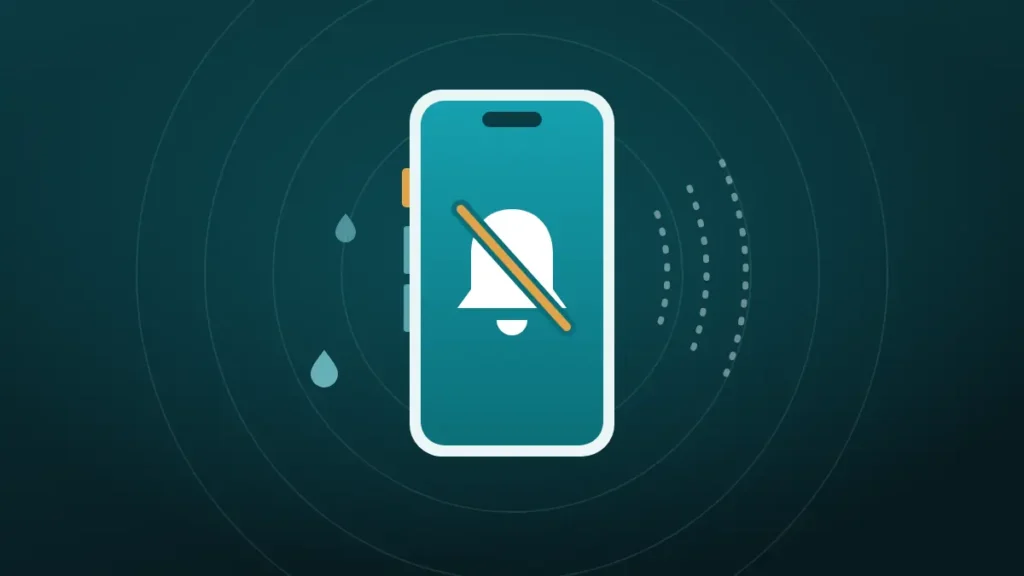
Yes, the silent switch affects speaker cleaning. On iPhone, Silent mode mutes the tones a web-based cleaner plays, so nothing comes out. Turn Silent mode off, raise the volume, and the cleaner works.
The button says the cycle is running. The timer counts down. The phone sits there making no sound at all, and the speaker stays as muffled as before.
Nine times out of ten the cause is a small switch on the side of the phone. The reason is odd enough that it catches out people who have used iPhones for years, because the same switch leaves music and videos alone.
Push the water out now
Volume all the way up, speaker pointing down, phone away from your ear. On iPhone, turn Silent mode off first.
What happened to your speaker?
Hold the phone away from your ear. The tones are loud on purpose.
Turn the volume all the way up and point the speaker down.
More options
Does the Silent Switch Affect Speaker Cleaning?
It does, on iPhone. With Silent mode on, a speaker cleaner that runs in the browser produces no sound, even with the volume at maximum.
The cleaner is not broken, and neither is the speaker. The iPhone is doing what Silent mode tells it to do, which is to hold back a certain class of sounds. A web-generated tone happens to fall into that class.
Nothing can be cleaned by a silent tone. The whole method depends on the speaker moving air, so a muted cycle is thirty seconds of waiting with no effect.
Why Does Silent Mode Mute a Website but Not a Video?
This is the confusing part, since a video playing in the same browser carries on at full volume.
An iPhone sorts sounds into groups. Media, such as music and video, belongs to one group and ignores Silent mode. Ringtones, alerts and incidental sounds belong to another, and Silent mode shuts that one off.
A speaker cleaner generates its tone on the spot, using a browser feature called the Web Audio API. Safari files sound made that way in the second group. A report in WebKit’s bug tracker, titled Web Audio API is muted when the iOS ringer is muted, describes exactly this behaviour.
By contrast, a video is a media file, so it lands in the first group and plays regardless. Same browser, same speaker, different rule.
What Silent Mode Does and Does Not Silence
Apple’s own description helps. It says Silent mode stops the iPhone from ringing or playing alerts and other sound effects. It adds that clock alarms, audio apps such as Music, and many games still play through the speaker.
| Sound | With Silent mode on |
|---|---|
| Ringtones and notifications | Silent |
| Keyboard clicks and system sounds | Silent |
| Tones generated by a web page | Silent |
| Music and podcast apps | Play normally |
| Videos, including in the browser | Play normally |
| Alarms set in the Clock app | Play normally |
| Phone calls in progress | Play normally |
The third row is the one that matters here, and it is the only one most people never meet until they try a speaker cleaner.
How to Turn Silent Mode Off on Any iPhone
The control has moved over the years, so the method depends on the model.
| iPhone | How to turn Silent mode off |
|---|---|
| Models with a Ring/Silent switch | Flip the switch on the left side toward the front, so no orange shows |
| Models with an Action button, set to Silent mode | Press and hold the Action button until the bell appears |
| Models with an Action button, set to something else | Settings, Sounds & Haptics, then switch Silent Mode off |
Apple describes the switch as flipping toward the back of the iPhone for silent and toward the front for sound. A bell icon appears briefly on screen each time it changes.
On Action button models, the button can be assigned to the camera, the flashlight or a shortcut. If pressing it does something else, use the Settings route instead.
Running the Cleaner the Right Way on iPhone
With Silent mode off, the rest takes under a minute.
- Turn Silent mode off, using the table above.
- Press the volume up button until the bar is full.
- Switch Bluetooth off, so the sound stays on the phone.
- Hold the phone with the speaker facing the floor.
- Tap It got wet in the cleaner at the top of this page, or Muffled or dusty for lint.
- Keep the screen on and the page open until the cycle ends.
The water cycle lasts 30 seconds and the dusty cycle 45. Two or three runs are reasonable, with a short pause between them.
Volume matters as much as the switch. The tone does its work by moving the speaker as far as it will go, so half volume gives much less than half the effect. Keep the phone away from ears while it plays, since the tone is loud by design.
Speaker Cleaner Sound Not Working on iPhone With Silent Mode Off
If the switch is off and the cleaner is still silent, something else is taking or blocking the sound.
| Cause | How to check |
|---|---|
| Volume is low | Press volume up while the cycle is running |
| Sound is going to Bluetooth or AirPlay | Switch Bluetooth off, and check the AirPlay icon in Control Center |
| A speaker volume limit is on | Settings, Sounds & Haptics, Volume Limit |
| The start button was not tapped | Tap it again, since browsers only start audio after a tap |
| The page is in an in-app browser | Open the page in Safari itself |
| The screen locked or the tab changed | Keep the page open and the screen awake |
| A phone call is active | End the call first |
The volume limit is a newer setting, and easy to forget. Apple lets owners limit the maximum volume of the built-in speaker, and a low limit makes any cleaner feeble.
In-app browsers are a quiet source of trouble. A link opened inside a social or messaging app runs in that app’s own browser, which can handle audio differently. Opening the same page in Safari removes the doubt.
How Can You Tell the Sound Is Really Playing?
A cleaning tone is low and not always easy to hear in a noisy room. Three signs confirm it.
First, there is an audible hum or buzz, deeper than a ringtone. Second, a fingertip resting lightly on the bottom edge of the phone feels the speaker vibrating. Third, if water is present, tiny droplets appear at the grille within seconds.
If the timer runs and none of those happen, the tone is muted. Go back to the Silent mode control first, because it remains the most likely reason by a wide margin.
The Measure before and after option, under More options in the cleaner, needs sound too. A measurement taken with Silent mode on will report nothing useful.
Do Focus and Do Not Disturb Mute the Cleaner?
No. Focus modes, including Do Not Disturb and Sleep, hold back calls and notifications. They do not mute media or the tones a web page generates.
Several guides list Do Not Disturb as a cause of a silent cleaner, and it is a red herring. The crescent moon in the status bar can stay on. The control that matters is Silent mode, and the two are separate.
Low Power Mode is equally innocent. It dims the screen and limits background activity, and it leaves the speaker alone.
Why Does a YouTube Cleaning Video Still Play?
Because it is a video. A cleaning sound uploaded to YouTube is a recording, played as media, so Silent mode does not touch it.
That makes a video a workable fallback when the switch cannot be found. It has drawbacks, though. The audio in a video is compressed, which can soften the deep tones that do the work. There is no control over the cycle, and an advert may interrupt it halfway through.
The Apple Watch offers a useful comparison. Its Water Lock feature plays tones to clear its own speaker, and those are built into the watch. The iPhone has no built-in equivalent, which is why owners turn to web cleaners, videos and shortcuts.
The Sound Plays and the Speaker Is Still Muffled
Once the tone is audible, the cleaner has done its part. If the speaker is still dull afterwards, the cause is something sound cannot shift.
Water usually clears in two or three cycles and a little drying time. Lint that has been packed in for months needs a soft dry brush before the tone can help. Salt or sugar residue, and damage from a drop, will not respond at all.
For water, follow how to get water out of an iPhone speaker. For dust, the brushing method is in how to clean phone speaker dust without opening it. Apple’s own advice for a dirty opening is a small, soft-bristled brush that is clean and dry.
If only calls are affected, the earpiece is a separate speaker with its own checks, covered in iPhone speaker muffled during calls.
Is Android Affected in the Same Way?
Not in the same way. Android phones have no hardware silent switch that mutes web audio, and a browser tone follows the media volume.
The Android equivalent of this problem is simpler. Media volume is a separate slider from ring volume, so a phone can ring loudly and play media at zero. Press a volume button while the cycle runs and raise the media slider.
Do Not Disturb on some Android phones can be set to silence media as well. If nothing plays with the slider up, check that setting. The Android routine is in how to remove water from an Android phone speaker.
Web Cleaner or Video: Which Suits Your iPhone?
Both can work, and each has a situation it suits better. The differences are small but practical.
| Web cleaner | Cleaning video | |
|---|---|---|
| Plays in Silent mode | No | Yes |
| Tone | Generated on the phone | A compressed recording |
| Cycle | Fixed and timed | Whatever the uploader chose |
| Interruptions | None | Possible adverts |
A web cleaner is the better choice when:
- Silent mode can be switched off for a minute
- A fixed cycle with a timer is useful
- The tone should be generated fresh, without compression
- A before and after measurement would help
Choose a video when:
- The silent switch is broken or stuck
- The phone belongs to someone who cannot find the setting
- The browser is blocking audio for some other reason
Either way the limits are the same. Sound moves water and loose dust, and it does not repair anything.
Remember to Turn Silent Mode Back On
This is the step everyone forgets. The cleaner finishes, the speaker sounds better, and the phone goes back in a pocket with the ringer on.
Flip the switch back, or hold the Action button again, before the next meeting. Lower the volume too, since it was left at maximum.
A ringtone at full volume in a quiet room is a memorable way to learn that the speaker is working again.
Frequently Asked Questions
Does Silent Mode Affect a Speaker Cleaner on iPhone?
Yes. Silent mode mutes tones generated by a web page, which is how browser-based speaker cleaners make their sound. With it on, the cycle runs and nothing plays. Turn Silent mode off with the side switch, the Action button or Sounds & Haptics in Settings.
Why Is the Speaker Cleaner Not Making Any Sound?
On iPhone, Silent mode is the usual reason. The next most likely are low volume, sound routed to Bluetooth or AirPlay, and a speaker volume limit in Settings. Check those in order, and open the page in Safari instead of an in-app browser.
Why Is There No Sound With Silent Mode Off?
Check the volume while the cycle is running, switch Bluetooth off, look for a volume limit under Sounds & Haptics and make sure the start button was tapped. If videos and music are silent as well, the speaker itself may have a fault.
Do iPhones Have a Built-In Speaker Cleaner?
No. Unlike the Apple Watch, which has Water Lock, the iPhone has no built-in feature that plays cleaning tones. Owners use web-based cleaners, videos or a Siri shortcut instead, and Apple’s own advice for dust is a soft dry brush.
Does Do Not Disturb Stop a Speaker Cleaner Working?
It does not. Do Not Disturb and other Focus modes silence calls and notifications only. They do not mute media or web-generated tones. A cleaner that plays nothing with Do Not Disturb on is almost certainly being muted by Silent mode.
Why Do Videos Play on Silent When the Cleaner Does Not?
Videos count as media, and media ignores Silent mode. A web cleaner generates its tone through a different browser feature, and Safari treats that sound like an alert. The result is a video that plays and a tone that does not, in the same browser.
Should the Volume Be at Maximum for Speaker Cleaning?
Yes. The tone works by moving the speaker as far as possible, so full volume gives the strongest push. Hold the phone away from ears, point the speaker down, and turn the volume back to normal when the cycle ends.
Does the Silent Switch Affect Speaker Cleaning on Android?
No. Android has no silent switch that mutes web audio. A cleaner follows the media volume, which is separate from ring volume. If nothing plays, raise the media slider during the cycle and check that Do Not Disturb is not set to mute media.
Conclusion
When a speaker cleaner sound is not working on iPhone, Silent mode is the first thing to check. It mutes tones made by a web page while leaving music and videos alone, which is why it is so easy to miss.
Switch it off, turn the volume to maximum, turn Bluetooth off and run the cycle with the speaker facing down. Then switch Silent mode back on before the phone rings somewhere it should not.