Short answer
No website can run the iPhone’s vibration motor, because Safari does not support the web feature that controls it. To clean an iPhone speaker with vibration, the only kind that matters is sound, which the speaker makes itself.
A friend with an Android phone taps a cleaner, and the phone buzzes in the hand while it plays. The same page on an iPhone makes the sound and nothing else. No buzz, no option, no explanation.
It looks like something is broken, or switched off somewhere in Settings. Neither is the case. The iPhone is behaving exactly as Apple built it, and the missing buzz matters much less than it appears to.
Push the water out now
Volume all the way up, speaker pointing down, phone away from your ear. On iPhone, turn Silent mode off first.
What happened to your speaker?
Hold the phone away from your ear. The tones are loud on purpose.
Turn the volume all the way up and point the speaker down.
More options
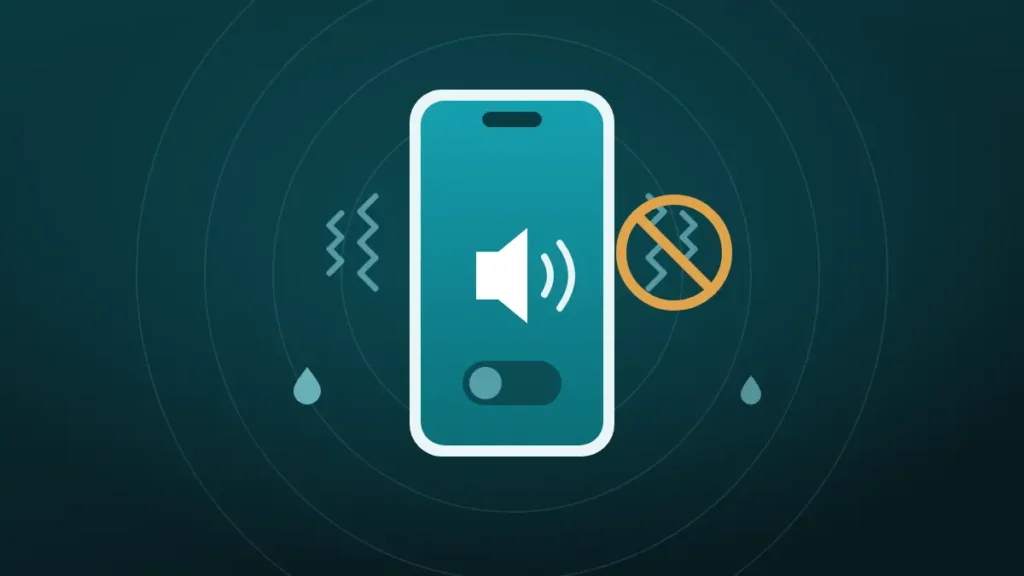
Sound Vibration and the Vibration Motor Are Two Different Things
The word vibration gets used for two unrelated parts of a phone, and most of the confusion starts there.
| Sound vibration | Vibration motor | |
|---|---|---|
| What moves | The speaker’s diaphragm | A small weight inside the phone |
| What it shakes | Air, pushed through the speaker mesh | The whole phone body, slightly |
| Used for | Music, calls, cleaning tones | Silent alerts and tap feedback |
| Can a website use it on iPhone | Yes | No |
| Role in speaker cleaning | Does the actual work | A minor extra at best |
When a video promises to clean an iPhone speaker with vibration, it nearly always means the first column. A low tone makes the diaphragm swing back and forth, and that movement pushes water and loose dust out through the grille.
The second column is the buzz of a silent phone on a table. That motor sits elsewhere in the body and has no direct connection to the speaker.
Why Does the Vibration Option Not Work on iPhone?
Because Safari has never included the feature. Web pages ask a phone to buzz through something called the Vibration API. Android browsers support it, and Apple’s browser does not.
| Browser | Lets a web page vibrate the phone |
|---|---|
| Chrome on Android | Yes |
| Samsung Internet | Yes |
| Firefox on Android | Yes |
| Safari on iPhone | No |
| Chrome or Firefox on iPhone | No |
Mozilla’s developer documentation lists the feature as having limited availability, since it is missing from some of the most widely used browsers. It also notes that on a device without support, the request simply has no effect.
That last detail explains the silence. An iPhone does not show an error or ask for permission. The page asks, nothing happens, and the owner is left wondering which setting to change. There is no such setting.
Is Chrome or Firefox on iPhone Any Different?
No. It is reasonable to assume that switching browser would help, since Chrome supports vibration on Android.
On iPhone, though, other browsers have been built on the same underlying engine as Safari, which is called WebKit. They look different on the surface and share the same abilities underneath. If WebKit cannot do something, none of them can.
Installing a second browser to get the buzz is therefore a dead end. The limit belongs to the platform, not the app.
What the Vibrate Option Does on Android
On an Android phone, the cleaner at the top of this page can run the vibration motor while the tone plays. The phone hums in the hand for the length of the cycle.
It is offered as an extra, and an honest description would call it modest. The motor shakes the whole phone a little, which may nudge a droplet that is already sitting at the edge of the grille. It does not reach into the speaker the way sound does.
The fuller verdict, with what is and is not known, is in does vibration mode actually help clear dust.
What About Websites That Make an iPhone Tap?
Some web pages do produce a small tap on recent iPhones, and that can look like proof that vibration is possible after all.
The tap comes from a different feature. Since iOS 18, Safari gives haptic feedback for switch controls, the sliding toggles familiar from the Settings app. Flip one on a web page and the phone gives a single click, as it would in Settings.
Developers have found ways to trigger that click from other buttons. It remains one short tap each time, with no control over length or strength. A cleaning cycle needs a continuous buzz for half a minute, and a string of tiny clicks is not the same thing.
Can an App Vibrate an iPhone to Clean It?
Yes, an app can. Apps installed from the App Store have access to the iPhone’s haptic motor, which Apple calls the Taptic Engine. Several speaker-cleaner apps use it and advertise the fact.
Whether that adds anything is a separate question. The Taptic Engine is designed to produce crisp taps and short pulses. It is small, it sits in the lower part of the phone, and it is built to be felt by a hand, not to shake water out of a cavity.
An app’s tone does the same job as a web page’s tone, and the buzz on top is mostly reassurance. It feels as if more is happening, which is not the same as more happening.
Would Vibration Help Clear the Speaker Anyway?
Only a little, on current evidence. The one independent test of these methods, which iFixit ran for The Verge, used sound alone. It showed droplets leaving the speakers of four phones, including an iPhone 13.
No comparable test exists for the vibration motor. The physics is not encouraging either. Water in a speaker is held in the mesh by surface tension, and what dislodges it is air being driven through that mesh from behind. Only the speaker can do that.
So an iPhone owner is missing the minor half of the method and keeps the major half. That is a better position than it first seemed.
How to Clean an iPhone Speaker With Vibration From Sound
The method that works on iPhone uses the speaker’s own movement. It takes about a minute.
- Turn Silent mode off, since it mutes web-based cleaners.
- Turn the volume all the way up.
- Switch Bluetooth off, so the sound stays on the phone.
- Hold the iPhone with the speaker facing the floor.
- Tap It got wet in the cleaner at the top of this page.
- Wipe the grille with a soft cloth, and repeat once or twice.
That cycle runs for 30 seconds, starting with low pulses and finishing with a rising sweep. Rest a fingertip on the bottom edge while it plays and the speaker can be felt working. That buzz under the finger is the vibration that counts.
Step one catches more people than any other. The reason is explained in why a speaker cleaner sound stops working on iPhone. For lint and dust, choose Muffled or dusty instead, and brush the grille first with a soft, dry brush.
The complete water routine is in how to get water out of an iPhone speaker.
If the iPhone Does Not Vibrate at All
This is a different problem, and worth separating. If the phone no longer buzzes for calls, messages or the keyboard, the cause is a setting or a fault, and it has nothing to do with web pages.
| Setting | Where it is | What to check |
|---|---|---|
| Ringtone haptics | Sounds & Haptics, Ringtone, Haptics | A pattern is selected, not None |
| System Haptics | Sounds & Haptics | Switched on |
| Keyboard Feedback | Sounds & Haptics | Haptic is switched on, if wanted |
| Vibration | Accessibility, Touch | Switched on, since this is the master control |
| Focus modes | Settings, Focus | Not silencing the alerts in question |
Apple describes these in its guide to iPhone sounds and vibrations. The Accessibility switch is the one that surprises people, because turning it off stops every vibration on the phone.
If all of those are on and the phone still never buzzes after a restart and an update, the motor needs a repair.
Do You Need a Speaker Cleaner App?
For most people, no. The difference between an app and a web page is the buzz, and the buzz is the least useful part.
| Web cleaner | App | |
|---|---|---|
| Plays a cleaning tone | Yes | Yes |
| Runs the vibration motor on iPhone | No | Yes |
| Needs installing | No | Yes |
| Typical cost | Free | Often a subscription |
A web-based cleaner is enough when:
- The goal is to push water or loose dust out of the speaker
- Silent mode can be switched off for a minute
- Nothing needs installing, and the phone storage is tight
An app might be worth having when:
- The cleaner is used often, and an icon on the home screen is convenient
- A tone that plays regardless of Silent mode is important
- The extra haptic buzz is wanted for its own sake
Be wary of apps that charge a weekly subscription for a 30-second tone. A sound is a sound, and nobody should be paying rent on one.
If the Phone Is an Android
Then the vibration option is available, and it can be left on or off as preferred. It appears in the cleaner on Android because Chrome, Samsung Internet and Firefox all allow it.
The same priorities apply. Volume at maximum and the speaker pointing down matter far more than the buzz. The Android routine is in how to remove water from an Android phone speaker.
A phone on Silent or Do Not Disturb may refuse to vibrate for a web page even on Android. If the option is on and nothing buzzes, check those two first.
Frequently Asked Questions
Can You Vibrate an iPhone to Clean the Speaker?
Not from a website, because Safari does not let web pages control the vibration motor, so a browser-based cleaner can only play sound on an iPhone. That is enough, because the sound moves the speaker itself, and the speaker pushes water and dust out.
Why Does the Vibration Mode Not Work on iPhone?
Safari does not support the Vibration API, the web feature that lets a page buzz a phone. Every browser on iPhone has shared that limit. The page’s request is ignored without any error, so nothing happens and no setting can change it.
Does Vibration Remove Water From an iPhone Speaker?
Sound does, and the vibration motor adds little. A low tone makes the speaker push air through its mesh, which forces droplets out. The motor only shakes the phone body slightly, and the published test of these methods used sound alone.
Is There a Setting to Turn On Vibration for Websites on iPhone?
No. There is no permission or switch for it in Settings or in Safari. The feature is absent from the browser, so nothing can enable it. Haptics settings under Sounds & Haptics affect calls, alerts and the keyboard only.
Do Speaker Cleaner Apps Vibrate the iPhone?
Some do, since apps from the App Store can use the iPhone’s haptic motor and several cleaner apps run it during the tone. The tone still does the cleaning, so be cautious about subscriptions when a web-based cleaner plays the same kind of sound for free.
Why Does an Android Phone Vibrate on the Same Website?
Android browsers support the feature that iPhone browsers lack. Chrome, Samsung Internet and Firefox on Android all allow a page to run the vibration motor after a tap. The website is identical, and the difference lies in the browser.
Is the Speaker Cleaning Sound Enough Without Vibration?
Yes. The sound is the part that works, since it moves the speaker and drives air through the grille. Turn Silent mode off, set the volume to maximum and point the speaker down. Vibration from the motor is an optional extra on phones that offer it.
Why Has the iPhone Stopped Vibrating Altogether?
A setting is the usual reason. Check that Vibration is on under Accessibility, then Touch, and that System Haptics and a ringtone haptic pattern are enabled under Sounds & Haptics. If the phone still never buzzes after a restart, the motor may need a repair.
Conclusion
Nothing is wrong with an iPhone that will not buzz for a speaker cleaner. Safari gives web pages no access to the vibration motor, on any browser, and no setting changes that.
The good news is that the motor was never the important part. To clean an iPhone speaker with vibration, use the vibration of sound itself, with Silent mode off, the volume up and the speaker facing down.