Short answer
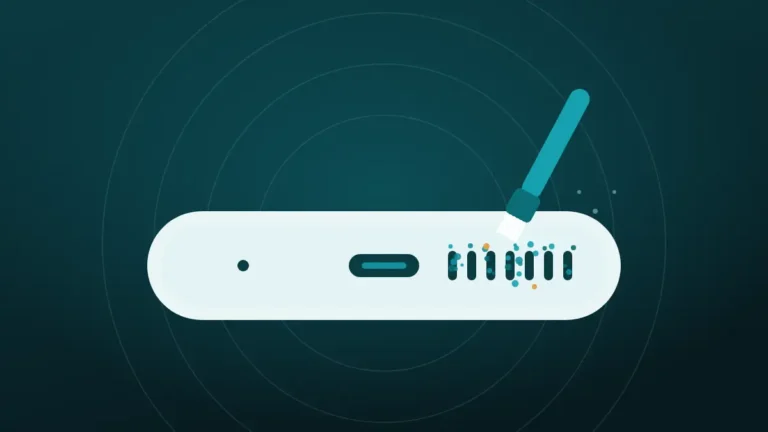
The phone’s vibration motor helps only a little. It can shake loose grit and sand out of a grille that is facing down. It does almost nothing for fine dust or packed lint, which need sound from the speaker and a soft brush.
Speaker-cleaning tools often come with a vibrate option, and it feels convincing. The phone buzzes in the hand, something is clearly happening, and it seems obvious that all that shaking must be knocking dust loose.
Some of it is. Most of the buzz is theatre, though, and the reason is that two very different things get called vibration. Sorting them out explains what the option is good for.
Clear the speaker now
Volume all the way up, speaker pointing down, phone away from your ear. On iPhone, turn Silent mode off first.
What happened to your speaker?
Hold the phone away from your ear. The tones are loud on purpose.
Turn the volume all the way up and point the speaker down.
More options
What Does the Vibrate Option Do?
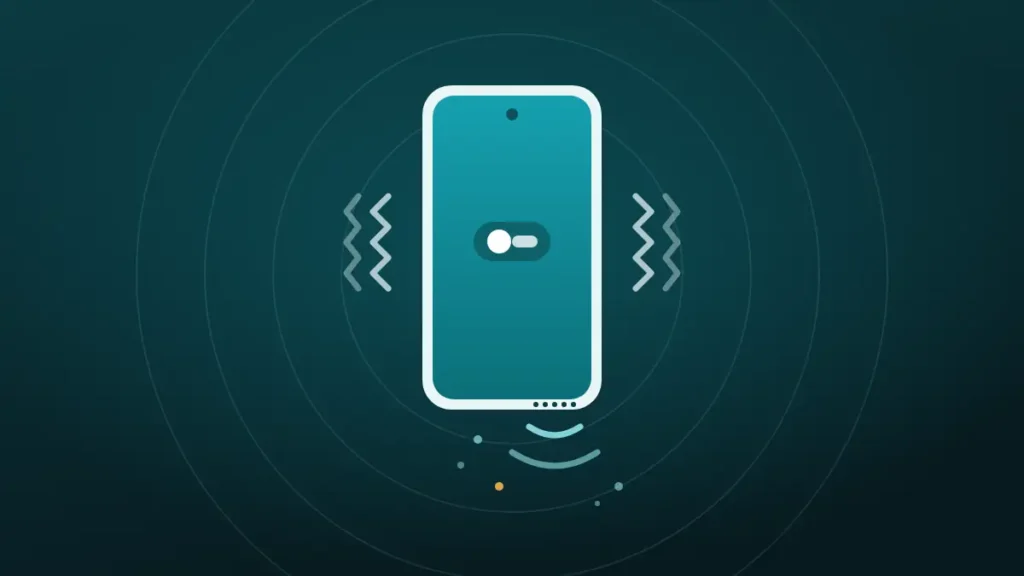
It runs the phone’s vibration motor while the cleaning tone plays, and that is all. The motor is the same part that buzzes for a silent call.
In the cleaner at the top of this page, the option sits under More options and is switched off by default. It works on Android phones in Chrome, Samsung Internet and Firefox. Browsers on iPhone cannot use the motor, so the option is unavailable there.
The tone itself comes from the speaker, with or without the motor. Switching the option on adds a second kind of movement on top of the first.
Two Different Kinds of Vibration
Everything depends on telling these two apart, because cleaning guides use one word for both.
| Sound from the speaker | Vibration motor | |
|---|---|---|
| What moves | The speaker’s diaphragm | A small weight inside the phone |
| Where it acts | Directly behind the grille and mesh | Elsewhere in the body |
| What it moves | Air, pushed in and out through the mesh | The whole phone, very slightly |
| Reaches the dust | Yes, from behind | Only by shaking the surface it sits on |
| Range of pitch | Wide, from low hum to high whistle | One narrow pitch |
When an article says vibrations clean a speaker, it nearly always means the left-hand column. A tone makes the diaphragm pump air through the mesh, and that airflow carries loose particles outward.
The motor does something else. It shakes the frame, and the dust moves along with the mesh it is resting on, with nothing to push it out.
How a Phone’s Vibration Motor Works
Knowing what the motor is makes its limits clearer. Most recent phones use a linear resonant actuator, a small sealed unit with a weight on a spring.
Precision Microdrives, a maker of these parts, describes a magnetic mass attached to a spring and driven up and down, which produces the vibration force. Older and cheaper phones use a spinning off-centre weight instead.
Two features matter for cleaning. The weight is tiny compared with the phone it has to shake, so the phone itself moves a very small distance. And the motor is tuned to one resonant frequency. The same source notes that away from that frequency, performance drops dramatically.
So the motor delivers a fixed, narrow buzz that was designed to be felt through a hand. It was never meant to dislodge anything.
What It Takes to Move Dust
Dust is harder to shake off than it looks, and the smaller the particle, the harder it gets.
A grain of sand is heavy for its size and sits loosely, so it hops when the surface under it is shaken. Fine dust is different. It is so light that the forces holding it to a surface, such as static and a trace of oil or moisture, outweigh the push it gets from being shaken.
Lint is different again. Its fibres are tangled into the mesh and into each other, so they cannot simply fall. That is why a dusty shelf does not clean itself when a truck drives past. It is also why a phone that buzzes in a pocket all day still ends up with a clogged grille.
Moving air does better, because it pushes on the particle directly. A bristle does best, since it reaches under a fibre and lifts it.
What Can Each Method Shift?
Put side by side, the three tools suit different kinds of dirt.
| What is in the grille | Vibration motor | Sound from the speaker | Soft dry brush |
|---|---|---|---|
| Loose sand or grit | Helps, with the speaker facing down | Helps | Best |
| Fine dry dust | Almost nothing | Some | Good |
| Pocket lint, loosely caught | Almost nothing | Some, once disturbed | Best |
| Lint packed in for months | Nothing | Very little | Needed first |
| Oily or sticky film | Nothing | Nothing | Partly, with care |
| Water droplets | A slight nudge | Best | No use |
The motor earns one clear tick, for loose heavy particles. Everywhere else it ranks last or does nothing.
Does Vibration Clean Phone Speaker Dust in Any Test?
Not in any published one. The evidence for these methods is thin overall, and it is thinnest here.
The single independent test on record, run by iFixit for The Verge, looked at water and used sound alone. It showed droplets leaving the speakers of four phones. No vibration motor was involved, and dust was not tested.
Some cleaner apps claim that sound with haptics removed more build-up than sound alone. None of them publishes a method or a measurement, so the claim cannot be checked.
What can be said is drawn from how the parts work. The motor shakes the phone gently at one pitch, which is enough to help gravity with a loose grain, and too little to free anything that is stuck.
When Does the Vibration Motor Help?
There are a few situations where the option is worth switching on.
- After the beach, when grains of sand are sitting loosely in the holes
- After brushing, when lint has been lifted and only needs to fall
- With water, where a droplet is clinging at the very edge of the grille
- On a phone whose speaker is too quiet to move much air by itself
In every one of these, direction decides the outcome. The speaker has to face the floor, or the shaking just settles the debris deeper.
Outside those cases the buzz is harmless and close to useless. It adds reassurance, which is not nothing, but it should not be mistaken for cleaning.
Is Tapping the Phone Better Than the Motor?
For shaking loose grit, yes. A few firm taps of the phone’s edge against an open palm move the whole phone further and faster than its motor can.
| Vibration motor | Tapping against the palm | |
|---|---|---|
| Size of movement | Tiny | Large |
| Rhythm | Fast and continuous | A few sharp jolts |
| Good for | Keeping loosened particles moving | Knocking heavier grit free |
| Risk | None | None, if the palm is the target |
Phone makers use the same trick, with Apple advising a gentle tap against a hand for a wet connector and Samsung suggesting a light shake.
A palm is the right surface. Tapping a phone on a table edge is how screens crack, and a speaker full of lint is cheaper to live with than a new display.
How to Use the Vibrate Option Well
If the phone offers it, a little care gets the most from it.
- Brush the grille first with a soft, dry brush, so debris is already loose.
- Hold the phone with the speaker facing straight down.
- Open More options in the cleaner and switch on vibration.
- Run the Muffled or dusty cycle at full media volume.
- Tap the phone’s edge against a palm a few times, then brush once more.
Apple names a small, soft-bristled brush as the tool for a dirty speaker opening, and Samsung gives the same advice. Sound and vibration both work best as the second step after that.
The dusty cycle lasts 45 seconds and sweeps from a low hum to a high whistle. Two or three runs are plenty. The full routine is in how to clean phone speaker dust without opening it.
Why the Phone May Not Vibrate During a Clean
The option is on, the tone is playing, and the phone stays still. Several ordinary things cause that.
| Cause | What is happening |
|---|---|
| The phone is an iPhone | Browsers there cannot run the vibration motor |
| Do Not Disturb or silent profile | Some phones block vibration in these modes |
| Battery saver | Often switches haptics off to save power |
| Vibration disabled in system settings | The browser’s request is ignored |
| No tap on the page yet | Browsers require a tap before allowing vibration |
| An in-app browser | Some apps’ built-in browsers lack the feature |
Mozilla’s developer documentation confirms two of these. It says a page needs user interaction before it can vibrate, and that some devices will not vibrate in Silent or Do Not Disturb mode.
On iPhone there is no workaround. The details are in can you clean an iPhone speaker with vibration. The cleaning tone works the same either way.
Can Vibration Harm the Phone?
No. The motor is built to run for years of calls and notifications, and half a minute during a cleaning cycle is nothing to it.
It uses a little battery and makes a noise on a hard surface, and neither matters. The motor cannot shake components loose or damage the speaker.
The same goes for the tone, within reason. A cleaning cycle is ordinary audio through the phone’s own amplifier. Long sessions at full volume are best avoided, more for the neighbours than for the speaker.
Do You Need the Vibrate Option at All?
Most people can leave it off and lose nothing. A few will get some benefit.
It is worth switching on when:
- The phone has been somewhere sandy or gritty
- The grille has just been brushed
- The phone is on Android, where the option works
Leave it off when:
- The problem is fine dust or packed lint
- The speaker got wet, since the water tone does that job
- The phone is an iPhone
- The buzz is annoying
Either way the order of importance does not change. A brush comes first, sound second, and the motor a distant third.
When Neither Sound Nor Vibration Clears It
If the speaker is still dull after brushing and a few cycles, the blockage is beyond the reach of anything outside the phone.
Fine dust may have passed through the mesh. A sticky residue may be holding lint in place. Or the speaker may be worn or damaged, in which case dust was never the cause.
More shaking will not help with any of those. Check the other explanations in why a phone speaker sounds muffled, and if the sound crackles, see crackling phone speaker. A repair shop can open the phone and clean or replace the speaker.
Frequently Asked Questions
Can You Clean Phone Speakers Using Vibration?
Partly. Sound vibration from the speaker pushes air through the mesh and can carry loose dust and water out. The phone’s vibration motor adds very little, helping mainly with loose grit when the speaker faces down. Neither removes packed lint without a brush.
Does the Vibration Motor Remove Dust From a Speaker?
Only loose, heavy particles such as sand, because the motor shakes the whole phone a tiny distance at one pitch. Fine dust clings too firmly to be shaken off, and lint is tangled in the mesh. A soft dry brush does far more.
Is Sound or Vibration Better for Cleaning a Speaker?
Sound is better. A tone moves the speaker’s own diaphragm, which sits directly behind the grille and pushes air out through it. The vibration motor sits elsewhere and only shakes the body. Use sound first and treat vibration as an optional extra.
Why Does the Phone Not Vibrate When the Cleaner Runs?
On iPhone, browsers cannot use the vibration motor at all. On Android, check that Do Not Disturb, battery saver and silent profiles are off, and that vibration is enabled in system settings. The page also needs a tap before the browser allows it.
Does Vibration Help Get Water Out of a Phone Speaker?
Slightly, in that it can nudge a droplet that is already at the edge of the grille. The water tone does the real work, because the speaker pushes air out through the mesh and carries the water with it. Keep the speaker facing down.
Can Vibration Damage a Phone Speaker?
No, the vibration motor is designed to run thousands of times, and it cannot shake parts loose or harm the speaker. A cleaning tone is also safe in normal use, though looping loud tones for long periods is unkind to ears.
How Long Should a Vibration Cleaning Cycle Run?
A cycle of 30 to 45 seconds is enough, repeated two or three times. Longer runs do not add much, since whatever is loose falls out early. If nothing changes after three cycles and a brushing, the dirt is not something shaking will remove.
Is Shaking the Phone by Hand Just as Good?
For loose grit it is better. Tapping the phone’s edge against an open palm, with the speaker facing down, moves it further than the motor can. Do not tap it on a hard surface, and do not swing it, since phones leave hands easily.
Conclusion
Does vibration clean phone speaker dust? A little, and only the loose, heavy kind. The vibration motor shakes the whole phone gently at one pitch, which helps sand fall out of a grille that is facing down and does next to nothing for lint.
Sound from the speaker reaches the dust from behind, and a soft dry brush reaches it from the front. Use those two, and treat the buzz as an optional extra.