Short answer
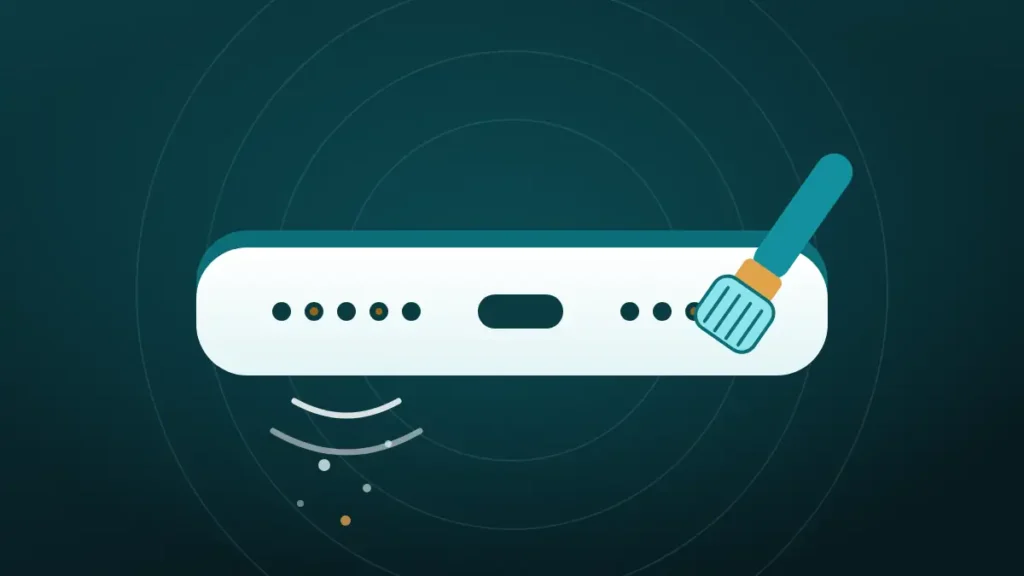
To clean phone speaker dust without opening it, sweep the grille with a clean, dry, soft-bristled brush while the speaker faces the floor. Lift what remains with low-tack tape, then play a cleaning tone to shake out loose particles.
The speaker has gone quiet, grey fluff is sitting in the little holes, and a screwdriver is not an option. Search for a fix and the advice splits in two. Half the pages say a can of compressed air does the job, and the other half say it wrecks the speaker.
Phone makers settled that argument some time ago, and their answer is below. So is the part most guides skip, which is how to tell when the dust sits somewhere a brush cannot reach.
Clear the speaker now
Volume all the way up, speaker pointing down, phone away from your ear. On iPhone, turn Silent mode off first.
What happened to your speaker?
Hold the phone away from your ear. The tones are loud on purpose.
Turn the volume all the way up and point the speaker down.
More options
What Can You Reach Without Opening the Phone?
A phone speaker sits behind two barriers. The outer one is the row of holes or slots cut into the frame. Behind it, on most phones, a fine mesh keeps larger debris away from the speaker itself.
Cleaning from outside reaches the holes and the front face of that mesh. Pocket lint collects in exactly those two places, so outside cleaning covers the usual case.
Anything that has worked its way through the mesh is out of reach. No brush, tape or tone will bring it back, and trying harder only adds damage. The whole method rests on one idea, which is to lift dust outward and never push it in.
Is It Dust, or Something Else?
Cleaning a speaker that is not dusty wastes ten minutes and risks the mesh for nothing. A flashlight settles it. Shine the beam across the grille at a low angle and look for grey or pale fibres sitting in the holes.
Timing is the other clue. Dust builds up over months, so the sound fades slowly and nobody notices the day it started. A speaker that went dull in one afternoon has a different problem.
| What you notice | Likely cause | What to do |
|---|---|---|
| Sound faded over weeks or months, fluff visible | Dry dust and lint | Follow this guide |
| Went dull right after rain, a shower or a spill | Water in the grille | Run a water cycle and let it dry |
| Dark, shiny or tacky residue in the holes | Skin oil, makeup or drink residue | Brush dry first, then see the alcohol section |
| Grille looks clean, sound still poor | A setting, the case or the speaker itself | Rule those out before cleaning |
When the grille looks clean, the list of reasons a phone speaker sounds muffled is the better starting point. For water, use the guide for an iPhone speaker or an Android phone.
Dry Dust and Sticky Grime Need Different Handling
Not everything in a grille is dust. Dry lint is loose fibre from pockets and bags, and it rests lightly on the mesh until a brush sweeps it off.
Grime is dust that has been glued down. Skin oil from a cheek, hand cream, makeup and the mist from a sugary drink all bind lint into a paste that no tone will move. The earpiece gets the worst of it, because it spends every call pressed against a face.
Order matters here. Always brush dry first, since adding moisture to a dusty grille turns loose lint into mud. Only what survives a dry brushing counts as grime.
The Kit: Four Things From Around the House
Nothing here needs buying. People often ask what a good tool for removing dust from a phone speaker is, and the answer is usually already in the bathroom cabinet.
| Tool | What it does | Where it falls short |
|---|---|---|
| Soft toothbrush, unused and dry | Sweeps lint off the mesh | Cannot grip fibres wedged tight in a hole |
| Low-tack tape, such as painter’s tape | Lifts loosened lint off the surface | Does nothing below the surface |
| Flashlight | Shows what is in the grille before and after | Only shows the front of the mesh |
| Microfibre cloth | Wipes away what the brush drags out | Too coarse to enter the holes |
A small clean paintbrush or makeup brush works as well as a toothbrush. Cleaning putty can stand in for tape, with one caution. Soft putty pressed hard can leave a piece of itself in a slot, which swaps one blockage for another.
The needle from the sewing kit is not on this list, however neatly it seems to fit the holes.
How to Clean Phone Speaker Dust Without Opening It, Step by Step
The sequence below takes about five minutes. It works on the bottom speaker of any iPhone or Android phone, and the phone can stay switched on throughout.
- Take the case off and wipe the bottom edge with the dry cloth.
- Turn the phone so the speaker faces the floor, and keep it that way.
- Brush across the grille with light strokes in one direction, letting the bristle tips do the work.
- Tap the back of the phone a few times with a fingertip so loosened dust drops out.
- Press a flat strip of low-tack tape over the grille and peel it away.
- Run the Muffled or dusty cycle in the cleaner at the top of this page, with the volume at maximum.
- Brush once more, then check the grille with the flashlight.
Gravity is the reason for step two. Brushing a speaker that faces up only rearranges the dust. Some of it falls further in.
Keep the tape flat. Rolling it into a point to reach inside a hole turns a lifting tool into a pushing tool, and the sticky tip can stay behind.
One pass is often enough for light fluff. Lint that has been packed down for a year may need the brush, tape and tone repeated two or three times. If nothing has changed after the third round, a fourth will not help.
Does a Speaker Cleaning Sound Remove Dust?
Partly. A tone makes the speaker push air back and forth through the mesh, and that movement can shake loose particles free. It cannot pull out a fibre that is wedged in a hole.
The evidence is thinner than most cleaning sites admit. The one independent test of these tones, which iFixit ran for The Verge, looked at water and showed droplets leaving the speaker. Nobody has published the same kind of test for dust.
So sound is a helper, and an honest guide says so. It earns its place after brushing, when fibres are already loose and need a nudge to fall out.
The dusty cycle on this page runs for 45 seconds. It sweeps from a low hum up to a high whistle so the mesh is shaken across its range, then finishes with short pulses. A 90-second Deep clean is there for stubborn cases, and Android phones can add vibration. Whether that buzzing achieves anything is covered in does vibration mode help clear dust.
What Do Apple, Samsung and Google Say?
All three publish cleaning advice, and they agree far more than the search results do. Each one warns against pressurised air. Two of them name a soft brush as the tool for speaker openings.
| Maker | For the speaker opening | Warns against |
|---|---|---|
| Apple | A small, soft-bristled brush that is clean and dry | Compressed air, moisture in any opening |
| Samsung | A soft brush, used lightly | Air guns |
| No speaker tool named | Spraying cleaners or compressed air, moisture or soap in openings |
Apple’s speaker troubleshooting page says to clean the opening with a small, soft-bristled brush that is clean and dry. Its general page on cleaning an iPhone is blunter and simply says not to use compressed air.
Samsung’s support site says cleaning with an air gun is not recommended, and points to a soft brush for anything stuck in the holes. Google tells Pixel owners to avoid spraying compressed air at the phone. None of the three lists canned air as an option anywhere.
That matters because one of the best-known how-to pages on this topic still recommends three or four blasts from a can, aimed into the speaker slot. The companies that build the speakers say otherwise.
Tools That Push Dust Deeper or Break the Mesh
Most cleaning damage comes from good intentions and the wrong tool. Each shortcut below fails for its own reason.
| Tool | What goes wrong |
|---|---|
| Canned or compressed air | Drives lint through the mesh instead of lifting it out |
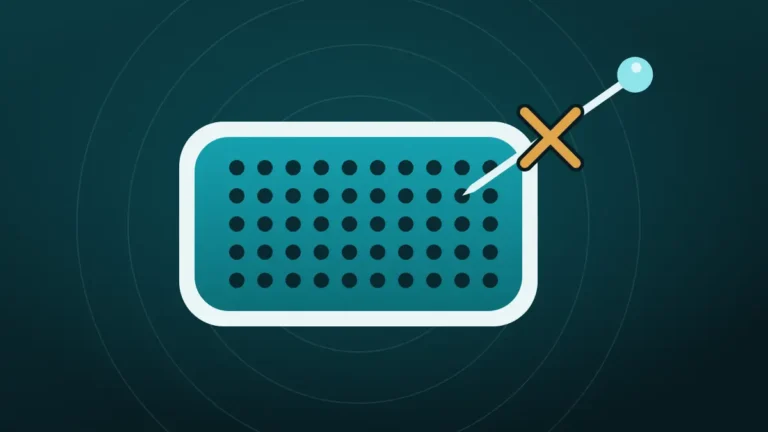
| Pin, needle, SIM tool or toothpick | Tears the mesh, and the tear lets everything in afterwards |
| Cotton swab | Sheds fibres and packs dust into the holes |
| Vacuum cleaner | A household nozzle cannot seal on holes this small, so it lifts very little |
| Blowing by mouth | Adds moisture from breath to dry dust |
| Water, sprays or wet wipes | Turns lint to paste and puts liquid in an opening |
Compressed air is the one people defend, because it works so well on keyboards. A keyboard has open space under the keys. A speaker has a mesh with a delicate part directly behind it, so the blast has nowhere harmless to go.
A pin feels precise, which is the trap. The mesh it pokes through is the only thing keeping next year’s lint out of the speaker. The longer case is in why a pin should never go near a speaker grille.
As for the vacuum cleaner, it is a lot of machine for a hole the size of a pinhead. The comparison of gentler options is in soft brush, tape or compressed air.
Can You Use Rubbing Alcohol on a Phone Speaker?
Not on the grille itself. Phone makers allow alcohol wipes on the hard outside surfaces and draw the line at openings. Apple permits a 70 percent isopropyl wipe on exterior surfaces and, in the same breath, says to keep moisture out of any opening.
For tacky grime that a dry brush leaves behind, the cautious version is a barely damp brush. Touch the bristle tips to a 70 percent isopropyl wipe and shake off any visible wetness. Then brush with the speaker facing down. The bristles should feel cool, not wet.
Dripping, spraying or pouring alcohol into a speaker is a different act entirely. Liquid carries dissolved grime through the mesh to the part no brush can reach, and standard warranties do not cover liquid damage.
That is a lot of care for a smear of hand cream. Dry brushing fixes most speakers, and the damp brush is for the few that stay sticky.
The Earpiece Needs a Lighter Hand
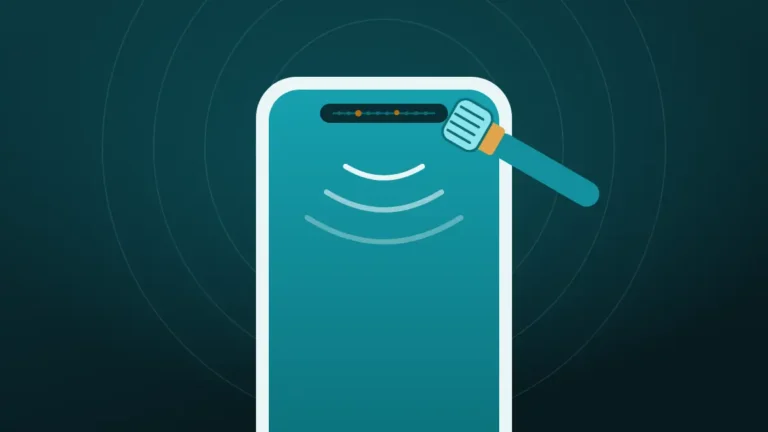
The slot at the top of the screen is a speaker too, and it carries call audio. Its mesh is usually finer than the one at the bottom, and it collects skin oil and makeup along with lint.
Use the same brush with half the pressure, stroking along the slot. Tape works well here because the slot is shallow. Skip putty, which can pack into such a narrow gap.
Tilt matters more at the top. Hold the phone with the screen angled toward the floor so debris falls away from the glass and out of the slot. The full method is in cleaning the earpiece speaker on a phone.
How Do You Know the Cleaning Worked?
Ears are poor judges of their own handiwork. After five minutes of effort, almost anything sounds better. A fixed test removes the wishful thinking.
Before cleaning, play a spoken-word clip at a set volume and note how far away the voice stays clear. Play the same clip from the same spot afterwards. Speech is the right test because dust steals treble, and treble is what makes consonants crisp.
| Result after cleaning | What it means | Next step |
|---|---|---|
| Speech is clearer and louder | Dust was the cause | Done, with a light brushing every month or so |
| Slightly better, still dull | Some lint or grime remains | Repeat once, then try the damp brush |
| No change, grille looks clean | The blockage is behind the mesh, or it is not dust | Stop cleaning |
| Crackling or buzzing has appeared | Possible speaker damage | Stop, and check the crackling guide |
The cleaner on this page has a Measure before and after option under More options, which gives a score instead of an impression.
When the Dust Is Behind the Mesh
Some speakers stay muffled however carefully they are brushed. The grille looks spotless under the flashlight, the tone has run three times, and speech still sounds as if it is coming through a wall.
There are three usual explanations. Fine dust has passed through the mesh and settled inside. The mesh is clogged from behind, or was pushed in by an earlier cleaning attempt. Or the speaker is worn or damaged, and dust was never the problem.
None of these can be fixed from outside, and this is the point where more effort starts doing harm. A repair shop can open the phone, replace the mesh or the speaker module, and reseal it. If the sound also crackles, the guide to a crackling phone speaker helps tell a blockage from a blown driver.
A phone that lives on a building site or in a workshop reaches this stage much sooner than one that lives in a handbag.
Should You Clean It Yourself or Leave It Alone?
Outside cleaning carries little risk when it is done dry and lightly. It is still not the right call for every phone.
Cleaning it yourself makes sense when:
- Fluff is visible in the grille under a flashlight
- The sound faded gradually over months
- The phone otherwise works normally
- A soft brush and tape are the only tools involved
Leave it alone, or hand it to a shop, when:
- The grille looks clean and the sound is still poor
- The mesh looks dented, torn or pushed in
- The speaker crackles or cuts out
- The phone was recently in water and has not dried
Most dusty speakers belong in the first list, and most of those improve. A few will not, and no guide can promise otherwise from the outside.
Keeping Dust Out After Cleaning
A clean grille starts collecting lint again the day it goes back in a pocket. A few small habits slow that down.
- Turn pockets inside out now and then, because lint gathers at the bottom, right where the speaker rides.
- Take the case off once a month and wipe the edge, since cases trap grit around the cut-outs.
- Keep the phone away from the bottom of a bag with loose crumbs, sand or makeup.
- Brush lightly every month or so, before lint has time to pack down.
Stick-on mesh covers for speakers exist. They do keep lint out. They can also take a little off the volume, which rather defeats the purpose.
How often to clean depends on the pocket more than the phone. The reasoning is in how often you should clean your phone speaker.
Frequently Asked Questions
How Do You Get Dust Off a Phone Speaker?
A dry, soft-bristled brush gets dust off a phone speaker. Hold the phone with the speaker facing the floor and sweep lightly across the grille, then lift loosened lint with low-tack tape. A cleaning tone afterwards helps shake out what the brush freed.
What Is a Good Tool for Removing Dust From a Phone Speaker?
The best everyday tool is a clean, dry, soft toothbrush. Apple and Samsung both point to a soft brush for speaker openings. A small paintbrush or makeup brush works too, as long as it has never been used with paint, powder or liquid.
Can Dust Damage a Phone Speaker?
Dust rarely damages a speaker, but it blocks one by filtering out treble and lowering volume until the lint is removed. Real damage usually comes from the cleaning attempt, when a pin or an air blast breaks the mesh.
Can You Use Compressed Air to Clean a Phone Speaker?
No, compressed air is not safe for a phone speaker. Apple tells iPhone owners not to use it, Google says not to spray it at a Pixel, and Samsung advises against air guns. The blast pushes lint through the mesh instead of lifting it out.
How Do You Clean a Really Dirty Phone Speaker?
Start dry, even when the speaker is really dirty. Brush with the speaker facing down, lift with tape, and repeat up to three times. If a tacky film remains, a brush barely dampened on a 70 percent isopropyl wipe can loosen it. Never drip liquid into the grille.
Does This Method Work on Samsung, Huawei and Other Android Phones?
Yes, the method is the same on every brand. Samsung, Huawei, Xiaomi and Pixel phones all put a grille in front of the speaker, so a dry brush, tape and a tone apply equally. Only the speaker position differs, so find the grille first.
Will Cleaning the Speaker Affect the Warranty?
Brushing the outside of a grille should not affect a warranty, because nothing is opened or altered. A torn mesh or liquid inside the phone counts as accidental damage, though, and a standard warranty does not cover that.
How Long Does It Take to Clean a Phone Speaker?
A full pass takes about five minutes. Brushing takes a minute or two, the tape a few seconds, and the dusty cycle 45 seconds. Heavily packed lint may need the pass repeated two or three times, which still fits inside a coffee break.
Conclusion
Cleaning phone speaker dust without opening the phone comes down to direction and restraint. Keep the speaker facing the floor, brush dry and lightly, lift with tape, and let a tone shake out the remainder. Skip compressed air, pins and liquid, as the phone makers advise.
If a clean-looking grille still sounds dull after three rounds, the dust is behind the mesh and a repair shop is the next stop.