Short answer
When phone volume is suddenly low, the cause is usually the wrong volume slider, sound routed to a Bluetooth device, or a volume limit in settings. A blocked or wet speaker comes next. Actual speaker failure is the least likely.
Yesterday the phone filled the kitchen, and today the same video is a whisper with the volume bar at the top. Nothing was dropped and nothing got wet, which makes it more annoying, not less.
A sudden change is good news in one respect. Something specific happened, and specific things can be found. The checklist below runs from the quickest and most likely causes to the slowest and rarest.
Which Volume Actually Dropped?
A phone does not have one volume. It has four or five, each with its own slider, and the side buttons control different ones at different moments.
| Volume | What it controls | When the buttons change it |
|---|---|---|
| Media | Music, video, games, podcasts | While something is playing |
| Ringer and notifications | Ringtones and alerts | When nothing is playing, on most phones |
| Call | The other person’s voice | Only during a call |
| Alarm | Alarms and timers | In the clock app or sound settings |
| Assistant and navigation | Spoken directions and replies | While the voice is speaking |
Apple spells this out for iPhone. The buttons control media volume while audio is playing, and ringer and alert volume the rest of the time.
So the first question is what exactly is quiet. A silent ringtone with normal music is a slider problem. Quiet everything is something else, and worth the full checklist.
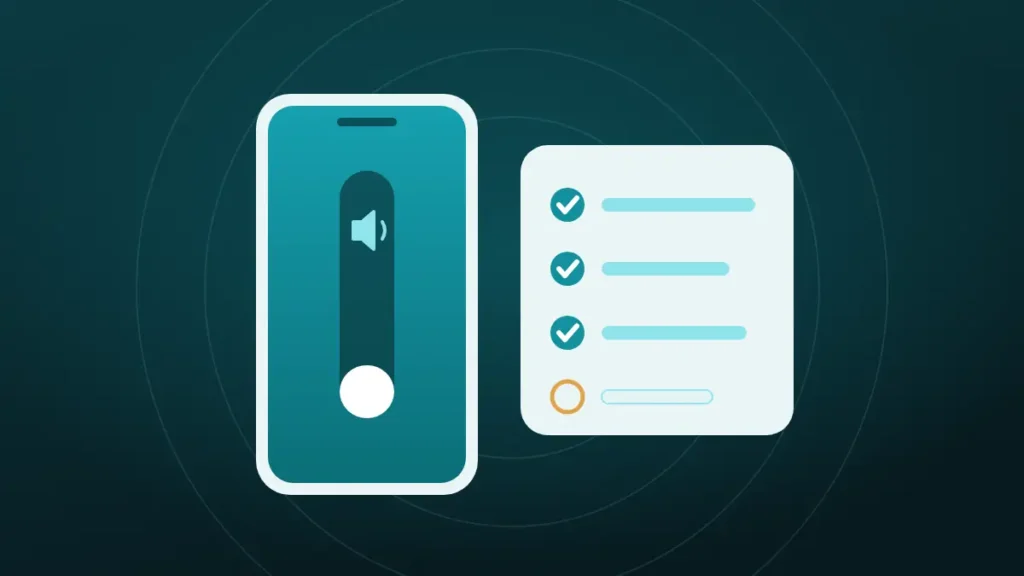
Phone Volume Suddenly Low: The Two-Minute Checklist
Work down this list in order. Each step takes seconds, and the early ones catch most cases.
- Start a video, then press volume up while it plays, so the media slider is the one moving.
- Open the volume panel and check every slider, not only the first.
- Switch Bluetooth off for a moment and play the video again.
- Turn off Do Not Disturb or any Focus mode.
- Take the case off and check that nothing covers the speaker holes.
- Play a second app, to rule out one quiet video or song.
- Restart the phone.
Step three deserves the attention. A phone that is still linked to earbuds in a drawer, or to a car parked outside, will send its sound there and play nothing useful from its own speaker.
If the volume is still low after all seven, the sections below cover the settings each brand hides, and after that the speaker itself.
Is the Sound Going Somewhere Else?
Sound that seems low is often sound that has gone elsewhere. The phone is playing at full volume to a device nobody is listening to.
| Where it might be going | How to check |
|---|---|
| Bluetooth earbuds or a speaker | Switch Bluetooth off and retest |
| A car system within range | Same, especially when parked near the car |
| A TV or smart speaker via casting or AirPlay | Look for a cast or AirPlay icon in the player |
| Hearing aids paired to the phone | Check the hearing devices section in accessibility |
| A headphone adapter left plugged in | Unplug anything in the charging port |
Google’s Pixel help page makes turning Bluetooth off one of its first steps for sound problems. It is a dull fix, and it works more often than any setting.
iPhone Settings That Cap or Lower the Volume
Several iPhone settings reduce volume on purpose. Any of them can be switched on by an update, a family member or a stray tap.
| Setting | Where it is | What it does |
|---|---|---|
| Volume Limit | Sounds & Haptics, under Built-In Speaker | Caps the speaker’s maximum volume |
| Reduce Loud Sounds | Sounds & Haptics, under Built-In Speaker | Softens loud sounds from the speaker |
| Headphone Safety | Sounds & Haptics, under Headphones | Limits headphone volume only |
| Attention Aware Features | Accessibility, Face ID & Attention | Lowers some alerts when you look at the phone |
| Change with Buttons | Sounds & Haptics | Decides whether the buttons move the ringer |
| Sound Check and EQ | Music settings | Evens out track loudness, which can lower some songs |
The speaker Volume Limit is the one most guides miss, because it is fairly new. With it on, the slider reaches the top and the speaker stays quiet. Screen Time can also lock that limit, which matters on a phone set up by a parent.
Attention Aware explains a common mystery. The ringtone starts loud and drops as soon as the phone is picked up and looked at. Apple describes it as checking for attention before lowering the volume of some alerts. It is a feature, and it can be switched off.
Finally, drag the Ringtone and Alerts slider back and forth a few times with the phone unsilenced. If no sound plays at all while dragging, Apple treats that as a sign the speaker may need service.
Samsung Galaxy Settings Worth Checking
Galaxy phones have their own set of volume controls, and one of them is widely misunderstood.
| Setting | Where it is | What it does |
|---|---|---|
| Media volume limit | Sounds and vibration, Volume, More options | Caps volume for headphones and Bluetooth only |
| Separate app sound | Sounds and vibration | Sends one app’s audio to a different device |
| Sound quality and effects | Sounds and vibration | Dolby Atmos and equaliser, which change loudness |
| Do not disturb and Modes | Notifications, or Modes and Routines | Silences or lowers alerts |
The media volume limit is the misunderstood one. Many guides blame it for a quiet speaker. Samsung’s own page says the limit applies only to headphones and Bluetooth speakers, so it cannot be the reason the phone’s speaker is quiet.
Separate app sound is the more likely culprit. If it is set to send a music or video app to a Bluetooth device, that app goes silent on the phone while everything else plays normally.
The Samsung Members app can also run a speaker test from its diagnostics section, which shows quickly whether the hardware responds.
Pixel and Other Android Phones
On Pixel and most other Android phones, press a volume button and tap the three dots or the settings icon in the panel that appears. That opens every slider at once, which is the fastest way to spot the one that has dropped.
A few more places are worth a look:
- Do Not Disturb and Bedtime mode, which can silence alerts on a schedule
- The Connected devices page, for an active Bluetooth or cast link
- Any equaliser, sound effect or “volume” app that was installed recently
- Safe mode, which starts the phone without third-party apps and shows whether one of them is interfering
Xiaomi, OPPO, Realme and OnePlus add their own sound enhancers under different names. Switching them off for a test costs nothing. Brand-specific steps are in fixing low speaker volume on Realme and OPPO.
Why Is Only One App Quiet?
When one app is quiet and the rest are fine, the phone is not the problem, and the app or its content is.
Streaming and video apps have their own volume sliders inside the player, and those can sit at 20 percent while the phone is at full. Some recordings are simply quiet too, since nobody sets a standard loudness for home videos or voice messages.
Play something known to be loud in a different app as a reference. If that sounds right, look inside the quiet app for a player volume control, a loudness or normalisation setting, or a pending update.
Why Are Only Calls Quiet?
Calls use a different speaker and a different slider. The voice comes from the earpiece at the top of the screen, and call volume can only be changed while a call is in progress.
That makes the fix easy to miss. During a call, press volume up several times and watch for the call slider. If it was near the bottom, that was the whole problem.
If the slider is at the top and the voice is still faint, the earpiece opening is the next suspect. It is a narrow slot that collects skin oil and lint, and a screen protector can cover part of it. Speakerphone is a useful test, because it uses the other speaker. The details are in cleaning the earpiece speaker on a phone and iPhone speaker muffled during calls.
A poor connection on either end produces quiet, thin audio as well. One bad call proves little, so try a second person before changing anything.
Did It Start After an Update?
System updates change sound behaviour more often than people expect. An update can reset sliders, switch on a new hearing-protection default, or introduce a bug that the next patch removes.
The speaker Volume Limit on iPhone arrived this way, in an update, and so did several of the Android volume warnings. A phone that went quiet overnight after installing one is far more likely to have a changed setting than a failed part.
Check the brand settings above again, restart, and look for a further update. A factory reset is rarely needed. It should wait until everything else has been ruled out.
When the Speaker Itself Has Gone Quiet
If every slider is up, Bluetooth is off, the phone is bare and all apps are quiet, the speaker or its opening is next.
| Clue | Likely cause | What to do |
|---|---|---|
| Got wet in the last day or two | Water in the grille | Run a water-eject tone and let it dry |
| Faded over weeks, sounds dull | Dust and lint in the mesh | Brush and run a dust cycle |
| Sounds thin, as if half is missing | One of two speakers has stopped | Test each speaker separately |
| Quiet and crackling together | Possible speaker damage | Follow the crackling checks |
| Quiet since a drop | Loose connector or damaged speaker | Repair |
Water and dust are both fixable at home. The speaker cleaner on the home page plays the tones for each, and the method is in why a phone speaker sounds muffled. Apple’s advice for a dirty opening is a clean, dry, soft-bristled brush.
The half-missing case catches people out. Most recent phones play media through two speakers, the earpiece and the bottom one. When one stops, the phone does not go silent. It just sounds weak and lopsided, as explained in one speaker quieter than the other.
For quiet with crackling, the checks in crackling phone speaker separate a blockage from a damaged driver.
Do Volume Booster Apps Help?
They make things louder and worse at the same time. A booster app cannot add power to the speaker. It raises the signal past full scale, and the extra shows up as distortion.
Several popular guides recommend them, with claims of 200 percent or more. On a speaker that is quiet because it is blocked or limited by a setting, a booster fixes nothing and adds a harsh edge. On a healthy speaker, it pushes the part harder than its maker intended.
Find the cause first. A speaker restored to its normal level is louder than a boosted one that is still blocked.
Should You Keep Checking or Book a Repair?
Most sudden drops are settled long before this point. For the rest, a few signs separate a setting from a fault.
Keep checking settings when:
- Headphones or Bluetooth devices play at normal volume
- Only one kind of sound is quiet, such as ringtones or calls
- The change followed an update, a new app or a new accessory
- The volume comes and goes
Book a repair when:
- Every sound is quiet on the bare phone with Bluetooth off
- The Samsung speaker test or the iPhone ringtone slider produces little or no sound
- The drop followed a fall or a soaking
- Cleaning and drying made no difference after a few days
A phone in the second group has usually been through one of two things. Either it took a knock that loosened the speaker connection, or liquid reached the speaker contacts.
Frequently Asked Questions
Why Is Phone Volume So Low All of a Sudden?
A sudden drop usually means the wrong slider is low, the sound is going to a Bluetooth device, or a volume limit has been switched on. Water in the speaker is the next most likely cause, so check those four before suspecting the hardware.
Why Is the Volume So Low When It Is All the Way Up?
Either a limit is capping the speaker or the speaker is blocked. On iPhone, look at Volume Limit and Reduce Loud Sounds under Sounds & Haptics. On any phone, check Bluetooth, sound effects and the speaker grille for lint or water.
Why Does a Phone Randomly Lower Its Volume?
Phones lower volume on purpose in a few situations. iPhones reduce alert volume when the owner looks at the screen, through Attention Aware Features. Headphone safety features reduce loud audio over time. Focus or Do Not Disturb modes can also run on a schedule.
How Do You Turn Off Automatic Volume Lowering?
On iPhone, open Settings, then Accessibility, then Face ID & Attention, and turn off Attention Aware Features. For headphones, turn off Reduce Loud Audio under Headphone Safety. On Samsung, switch off the media volume limit in the Volume settings.
Why Is iPhone Volume Suddenly So Low?
Check the newer speaker Volume Limit in Sounds & Haptics first, then Bluetooth and AirPlay routing, then Focus modes. If the ringtone drops only when the phone is picked up, Attention Aware Features is doing it, and a dirty speaker opening is the usual hardware cause.
Why Can Callers Barely Be Heard?
Call volume is a separate slider that moves only during a call, so press volume up while someone is speaking. If it is already at maximum, clean the earpiece slot, check the screen protector, and compare with speakerphone. A weak network connection can also thin out the voice.
How Do You Reset the Volume on a Phone?
There is no single volume reset, so raise each slider in the volume panel, switch off limits and sound effects, and restart. A settings reset, which keeps personal data, is the heavier option on both iPhone and Android when a hidden setting cannot be found.
Can Dust Make Phone Volume Low?
Yes, though dust rarely does it suddenly. Lint builds up over months and makes the speaker quieter and duller a little at a time. A drop that happens overnight points to a setting or to water, while a slow fade points to dust.
Conclusion
Phone volume that is suddenly low nearly always traces back to a slider, a Bluetooth route or a limit in settings, and the two-minute checklist finds most of them. Water and dust come next, and both can be cleared at home.
Skip the booster apps, since they only add distortion. If every sound stays quiet on a bare phone with Bluetooth off, and cleaning changes nothing, the speaker needs a repair shop.