Short answer
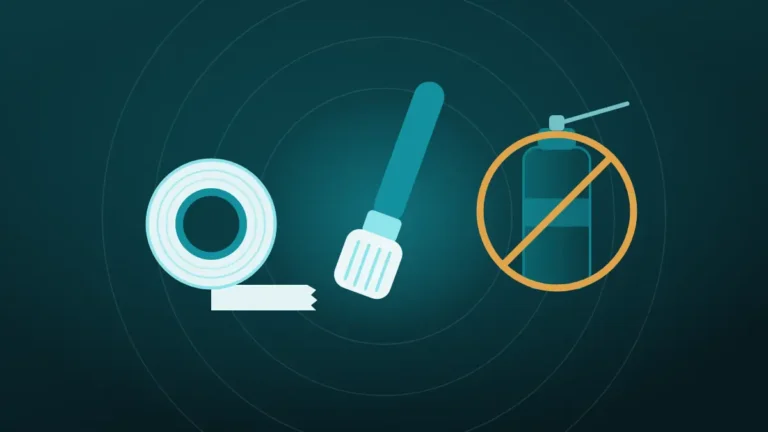
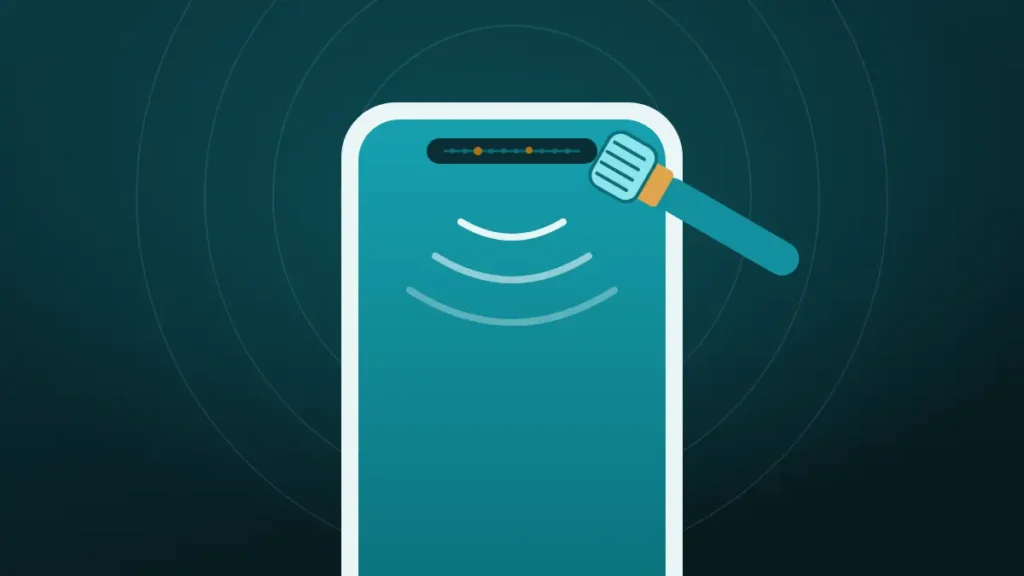
To clean the earpiece speaker, angle the screen toward the floor and sweep the slot with a clean, dry, soft-bristled brush. Lift what remains with low-tack tape. Keep liquid, compressed air and pins away from it.
Callers sound far away, and pressing the phone harder against an ear has stopped helping. The slot at the top of the screen looks grey where it used to look black. Most cleaning guides then reach for a can of air, a cotton swab and a bottle of alcohol.
Those are the three things phone makers say to keep away from this opening. The earpiece is the most delicate grille on the phone, and it needs the gentlest method.
Clear the speaker now
Volume all the way up, speaker pointing down, phone away from your ear. On iPhone, turn Silent mode off first.
What happened to your speaker?
Hold the phone away from your ear. The tones are loud on purpose.
Turn the volume all the way up and point the speaker down.
More options
What Makes the Earpiece Different From the Main Speaker?
The earpiece is the small speaker at the top of the screen that plays a caller’s voice. Apple calls it the receiver. It differs from the bottom speaker in ways that change how it should be cleaned.
| Earpiece | Bottom speaker | |
|---|---|---|
| Opening | A narrow slot, sometimes hair-thin | A row of round holes |
| Mesh | Very fine | Coarser |
| What sits beside it | Front camera and sensors | Charging port and microphone |
| Typical dirt | Skin oil, makeup, fine dust | Pocket lint, sand, crumbs |
| How it gets there | Pressed against a face | Carried in pockets and bags |
Two rows matter most. The dirt is oily, so it sticks instead of sitting loose, and the neighbours are sensors, so anything wet or forceful lands on them too.
Is the Earpiece Really the Problem?
A quiet call has several possible causes, and only one of them is a dirty earpiece. A minute of checking saves a pointless cleaning.
| Check | What it shows |
|---|---|
| Press volume up during a call | Call volume has its own slider, and it may simply be low |
| Switch to speakerphone | If the voice is clear there, the earpiece is the weak point |
| Try wired or Bluetooth earbuds | Clear sound again points to the earpiece |
| Call a second person | One quiet caller may have their own problem |
| Shine a light across the slot | Grey or shiny residue confirms dirt |
If speakerphone and earbuds are just as faint, the fault lies with the network, the settings or the other person’s microphone. The broader checks are in phone volume suddenly low.
What Clogs an Earpiece
Everything a face and a pair of hands carry ends up here. Skin oil comes first, followed by makeup, sunscreen, moisturiser and hair product. Fine dust then sticks to that film and builds a paste.
The paste is the reason an earpiece behaves differently from a dusty bottom speaker. Loose lint can be shaken or brushed off in seconds. An oily layer clings to the mesh and fills the tiny gaps a little more with every call.
It also builds slowly. Nobody notices the week it started, only the day a caller has to repeat everything.
Check the Screen Protector and Case First
A surprising number of quiet earpieces are simply covered. Screen protectors have a cut-out for the slot, and a protector applied a millimetre too high blocks part of it.
Apple’s first instruction for weak or distorted sound is to remove all screen protectors, films and cases, and Google gives Pixel owners the same advice.
Cases with a raised lip can shade the slot too, and dust collects along the edge where protector meets glass. If the earpiece sounds better with everything off, the fix is a new protector, fitted lower.
How to Clean the Earpiece Speaker, Step by Step
The whole job takes about three minutes and uses things already in the house. A clean, dry, soft toothbrush is the main tool, and a small paintbrush or makeup brush works as well.
- Take off the case, and peel back the protector if it overlaps the slot.
- Hold the phone with the screen angled toward the floor, so loosened dirt falls away from the opening.
- Brush along the slot with light strokes, letting only the bristle tips touch.
- Press a flat strip of low-tack tape over the slot and peel it off.
- Wipe the glass around the slot with a dry microfibre cloth.
- Make a test call and compare.
Apple names this method for the receiver, asking for a small, soft-bristled brush that is clean and dry. Samsung points to a soft brush too, used lightly.
The angle is the part people skip, and brushing a phone that lies face up pushes the loosened dirt straight back into the slot it came from.
Painter’s tape or masking tape is the right kind. Stronger tape can leave adhesive on the mesh, which is the last thing an oily grille needs. Repeat the brush and tape two or three times if the first pass helps but does not finish the job.
Can You Use Alcohol on the Earpiece?
Not directly. This is the step where popular advice and maker advice part company, since several guides suggest a drop of alcohol on the mesh or a soaked cotton swab.
Apple’s cleaning guidance allows a 70 percent isopropyl wipe on the hard exterior surfaces of an iPhone. In the same passage it says to avoid getting moisture in any openings. The earpiece slot is an opening, with a camera and sensors next to it.
For oily residue that a dry brush leaves behind, there is a cautious middle path. Touch the bristle tips to an alcohol wipe, flick off any visible wetness, and brush with the screen facing down. The brush should feel cool and look dry.
A drop of liquid on the mesh is a different thing altogether. It dissolves the grime and carries it through to the speaker behind, where nothing can reach it.
Hairline Slots on Newer Phones
On many recent phones the earpiece is no longer a visible grille. It has moved to a hair-thin gap where the glass meets the frame at the top edge.
That design keeps most lint out. It also means bristles cannot get inside, so cleaning is limited to the mouth of the gap.
Brush along the top edge with the screen angled down, then run a strip of tape along the same line. A soft interdental brush is tempting and too stiff for this. Whatever goes into the gap should be softer than the mesh it might touch.
Does a Cleaning Sound Reach the Earpiece?
On stereo phones, yes. Most recent phones use the earpiece as their second speaker for music and video, so a tone played from a web page comes out of both ends.
Run the Muffled or dusty cycle in the cleaner at the top of this page after brushing, with the screen facing down. Sound can shake loose particles off the mesh. It will not shift an oily film, which is why the brush comes first.
On phones where the earpiece only works during calls, a web page cannot send sound to it at all. Silence from the top during the cycle is normal on those models.
One myth is worth clearing up. Videos promising a 50,000 Hz cleaning sound cannot deliver it, because phone audio tops out a little above 20,000 Hz. A speaker this small also moves very little air at high pitches, so higher is not stronger.
Popular Methods That Damage an Earpiece
Nearly every one of these appears in a top search result. Each fails for its own reason.
| Method | Why it is a bad idea here |
|---|---|
| Compressed air | Apple says not to use it on an iPhone, and Samsung warns against air guns |
| Cotton swab with alcohol | Presses dirt into the slot and delivers liquid to an opening |
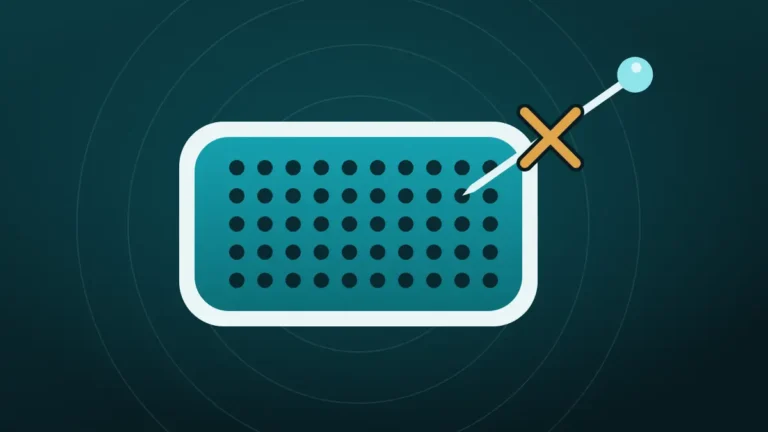
| Toothpick or pin | Tears a mesh finer than the tip |
| Warm soapy water on a brush | Puts water and soap next to the front sensors |
| Putty pushed into the slot | Leaves a piece behind in a gap too narrow to clear |
| Opening the phone | Breaks the seal and risks the sensor cables |
Samsung’s wording on air is direct. Its support site says it is recommended not to clean with an air gun, and to use a soft brush lightly instead.
The toothpick deserves a mention because it feels so reasonable. Wood is softer than metal, and the mesh is still softer than wood. More on that is in why a pin should never go near a speaker grille.
Why Is the Earpiece Still Quiet After Cleaning?
If the slot looks clean and callers are still faint, the cause is probably not dirt.
| Possible cause | How to check |
|---|---|
| Call volume set low | Raise it during a call |
| Sound routed to Bluetooth | Switch Bluetooth off and retry |
| A noise or hearing setting | Review the phone’s call and accessibility audio settings |
| Weak signal or network audio quality | Try Wi-Fi calling, or a different location |
| Water in the earpiece | Recent rain or a shower; let it dry |
| A failing earpiece | Speakerphone is fine and the earpiece is not, every time |
On older iPhones, one setting is worth knowing. Apple says Phone Noise Cancellation is on by default on iPhone 12 and earlier and can be switched off, and some owners find calls clearer without it.
For iPhones in particular, the fuller diagnosis is in iPhone speaker muffled during calls.
Should You Keep Cleaning or Book a Repair?
Three gentle passes are the limit. After that, more brushing only wears the mesh.
Another round of cleaning makes sense when:
- Residue is still visible under a light
- The sound improved after the first pass
- The phone is used with makeup, sunscreen or in dusty work
- The protector or case was found covering the slot
A repair is the better call when:
- The slot looks clean and the earpiece is still faint on every call
- Speakerphone and earbuds are consistently clear
- The problem started after a drop, a soaking or a screen replacement
- The earpiece crackles or cuts out
An earpiece replacement is a routine repair, though on some phones the part shares a cable with the front sensors. That is a good reason to use a shop that knows the model.
Keeping the Earpiece Clean Between Calls
A little prevention beats a deep clean, since the dirt here is slow and sticky.
- Wipe the top of the screen with a dry microfibre cloth every few days.
- Use earbuds or speakerphone for long calls when wearing makeup or sunscreen.
- Let hand cream soak in before picking up the phone.
- Brush the slot lightly once a month, before a film has time to form.
- Fit screen protectors carefully, with the cut-out clear of the slot.
None of this takes more than a few seconds. An earpiece wiped weekly rarely needs anything more.
How often the whole phone needs attention is covered in how often you should clean your phone speaker. The bottom speaker has its own guide in how to clean phone speaker dust without opening it.
Frequently Asked Questions
Why Is the Phone Ear Speaker So Quiet?
The usual reasons are a low call-volume slider, a screen protector over the slot, or a film of skin oil and dust on the mesh. Raise the volume during a call first. If speakerphone is clear and the earpiece is not, clean the slot.
How Do You Clean a Phone Ear Speaker Without Damaging It?
Use a clean, dry, soft-bristled brush with the screen angled toward the floor. Then lift residue with low-tack tape. That is the method Apple and Samsung describe. Avoid compressed air, liquids and anything sharp, since the mesh is very fine.
Can You Use a Toothbrush on the Earpiece?
Yes, as long as it is soft, dry and has never been used. Brush lightly along the slot with only the tips of the bristles. A medium or hard brush is too stiff, and a used one carries toothpaste residue and moisture.
Is Compressed Air Safe for the Earpiece?
No. Apple tells iPhone owners not to use compressed air, and Samsung advises against air guns. The blast drives oily dirt through the mesh and can reach the sensors beside the slot. A soft brush is slower and far safer.
How Do You Get Earwax Out of a Phone Earpiece?
Brush it out dry with a soft brush, screen facing down, and lift the rest with low-tack tape. If a waxy film remains, touch the bristles to a 70 percent isopropyl wipe so they are barely damp, then brush again. Never drip liquid onto the mesh.
Does a Speaker Cleaning Sound Work on the Earpiece?
It helps on phones that use the earpiece as a second speaker, because the tone plays through it and shakes loose dust free, though it does not remove oily residue. On phones where the earpiece only plays calls, a web tone will not reach it.
How Do You Make the Ear Speaker Louder?
Raise the call volume while on a call, remove any protector covering the slot, and clean the earpiece. Then check for a Bluetooth device taking the audio. If it is still quiet with all of that done, the earpiece itself may be failing.
How Often Should the Earpiece Be Cleaned?
A dry wipe every few days and a light brushing once a month suit most people. Heavy use with makeup, sunscreen or dusty work calls for more. Cleaning harder or with liquid does not help, and gentle and regular is the better habit.
Conclusion
The way to clean the earpiece speaker is dry and light. Angle the screen down, brush along the slot with a soft brush, lift the residue with tape, and test with a call.
Leave compressed air, alcohol swabs and toothpicks out of it, whatever the search results suggest. If a clean-looking earpiece is still faint while speakerphone is clear, the part needs a repair shop.