Short answer
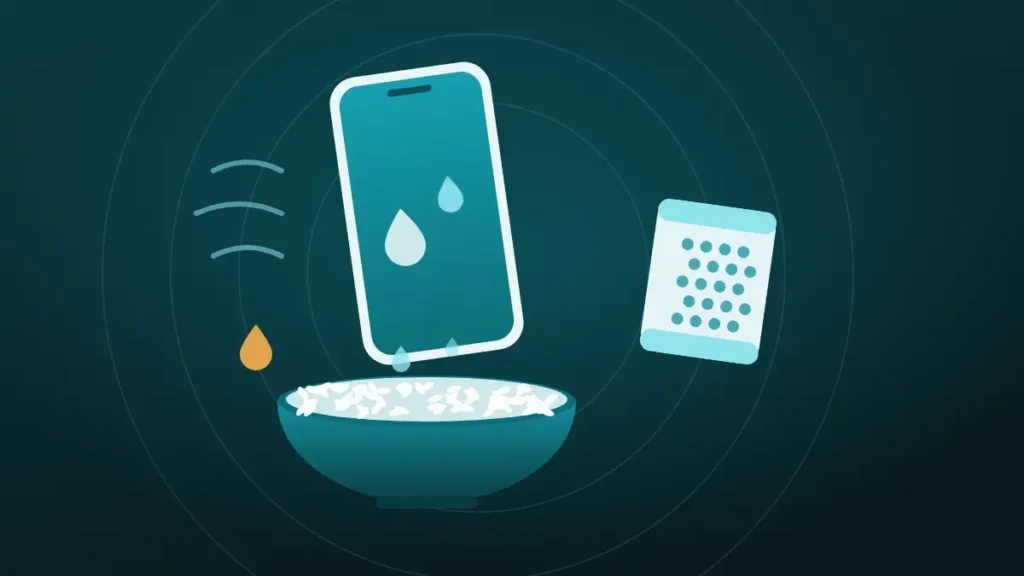
Silica gel dries the air around a wet phone far better than rice, but neither pulls water out of the phone itself. Moving air does that job best. Rice adds starch dust and nothing else.
The phone has just come out of the sink, and the kitchen has a bag of rice in it. Somewhere in a drawer there may also be a few of those little packets that come in shoe boxes. Every search result says rice is a myth, then tells you to go and buy something.
Nothing needs buying tonight. What matters is knowing what each option can do, and the answer starts with what a desiccant is actually for.
Push the water out now
Volume all the way up, speaker pointing down, phone away from your ear. On iPhone, turn Silent mode off first.
What happened to your speaker?
Hold the phone away from your ear. The tones are loud on purpose.
Turn the volume all the way up and point the speaker down.
More options
Does Putting a Wet Phone in Rice Work?
No. Rice is a weak desiccant, and even a strong desiccant only dries the air it touches. The water that threatens a phone sits inside it, behind seals, in the ports and under metal shields.
For rice to help, that water first has to evaporate and drift out of the phone on its own. Dry air nearby can speed that up slightly. A bowl of grains pressed around the case mostly blocks the airflow that would have done it faster.
Apple is direct about it. Its liquid-detection guidance tells iPhone owners not to put the phone in a bag of rice, because small particles of rice could damage it.
Why the Rice Trick Seems to Work
Plenty of people have a rice success story, and they are not imagining it. The phone went in the bag dead or glitchy and came out working the next morning.
The rice was a bystander. Burying the phone forced its owner to leave it switched off and untouched for a night, and that waiting is what dried it. An empty bowl would have produced the same result, with less sweeping up.
There is a second reason the story spreads. Phones that died in the rice rarely get mentioned, because nobody posts about the fix that failed. The survivors do all the talking.
What Did the Drying Tests Find?
The test most often cited was run in 2014 by Gazelle, a company that buys and resells used phones. It soaked nine phones and compared seven household drying agents, then published the results.
| Result in the Gazelle test | What it showed |
|---|---|
| Open air | Dried better than every drying agent tested |
| Silica gel, cat litter, couscous, oatmeal, instant rice | All absorbed more water than plain rice |
| Dry, uncooked rice | Worst of the seven materials |
That last row is the famous one, but the first row matters more. A wet sponge left out on a shelf lost more water than one buried in anything, silica gel included.
It is one company’s test, a decade old, and it used sponges for the absorption part. Nobody has published a larger one since. Still, the physics points the same way, because evaporation needs air that moves.
What Rice Adds to the Problem
Useless would be forgivable. Rice also leaves things behind.
A bag of rice contains starch dust and broken fragments from being shipped and shaken. Put a wet phone in it and that dust meets moisture at the charging port and speaker grille. The result is a paste that dries hard in exactly the places a phone needs clear.
Whole grains cause their own trouble. A grain can wedge in a charging port, swell slightly with moisture, and refuse to come out without a tool that should not go in there.
The largest cost is the lost time. An hour spent hunting for rice and a container is an hour the phone could have spent in front of a fan.
How Silica Gel Works, and How Much You Need
Silica gel is a real desiccant. Its beads are full of microscopic pores that trap water vapour, and one manufacturer puts the capacity at about 40 percent of its own weight. Rice comes nowhere near that.
The catch is quantity. Most people picture the packet from a shoe box, and the arithmetic on those is humbling.
| Silica gel on hand | Most water it can hold | Roughly equal to |
|---|---|---|
| One 1 g packet | 0.4 g | A few drops |
| Ten 1 g packets | 4 g | Less than a teaspoon |
| One 50 g pouch | 20 g | About four teaspoons |
| 500 g of loose beads | 200 g | Most of a cup |
Those figures assume fresh gel. A packet that has sat in a shoe box for a year has been absorbing moisture from the room the whole time, and may have very little capacity left.
Silica gel also needs a sealed container. In an open bowl it tries to dry the entire room, which is a contest it loses. Gazelle suggested at least four cups of desiccant in a one to two quart container, far more than a drawer of spare packets.
Rice vs Silica Gel for a Wet Phone, Side by Side
Put the two next to the options that cost nothing, and the ranking looks different from the one most people expect.
| Method | Dries the air around the phone | Moves water out of the phone | Risk |
|---|---|---|---|
| Uncooked rice | Barely | No | Dust and grains in ports |
| Silica gel, sealed box, enough of it | Yes | Slowly, as vapour escapes | Low |
| Open air, dry room | Yes | Yes, by evaporation | None |
| Open air with a fan | Yes | Fastest of the four | None |
Silica gel clearly beats rice. That was never the useful comparison, though. In an ordinary room, a shelf and a fan beat them both.
When Is Silica Gel Worth Using?
Silica gel earns its place when the air itself is the problem. Open air dries a phone only if that air is reasonably dry. In a steamy bathroom, a tent, a boat cabin or a monsoon week, the room has little drying power left.
A sealed box with plenty of fresh silica gel creates a pocket of dry air that the weather cannot spoil. That is the one situation where it does something a shelf cannot.
Silica gel makes sense when:
- The room is humid and there is no fan or air conditioning
- A large pouch or a tub of fresh beads is already in the house
- The phone can sit in a sealed container for a full day
- Loose water has already been shaken and wiped off
Open air is the better choice when:
- The room is dry, heated or air conditioned
- A fan is available
- The only silica gel is a handful of old packets
- The alternative is leaving the phone wet while shopping for desiccant
Most homes fall in the second list most of the year. A phone drying on a camping trip in the rain does not.
What Dries a Wet Phone Fastest?
Airflow does, after the loose water is out. The steps below follow what Apple advises for iPhones, and they suit any phone.
- Take the phone out of its case and wipe it with a soft cloth.
- Hold it with the charging port facing down and tap it gently against your palm.
- Stand it in a dry room where air moves freely, port side down if it will balance.
- Aim a fan at the port on its cool setting.
- Leave it alone.
Apple notes that a fan blowing cool air into the connector may help the drying process. It also rules out external heat and compressed air. Nothing should be pushed into the port either.
Step five is the hard one. Checking whether it works every twenty minutes is the modern version of the rice trick, and it helps about as much.
How Long Should the Phone Stay Off?
That depends on how wet it got and how well sealed it is. One number does not cover a splash on a new phone and a full soak on an old one.
| Situation | Before using it | Before charging by cable |
|---|---|---|
| Rain or a splash on a water-resistant phone | Usable if it works normally | At least 5 hours, per Apple |
| Brief dunk, water-resistant phone | A few hours of airflow | 5 hours, or up to 24 if an alert remains |
| Full soak, older or unrated phone | 24 to 48 hours switched off | After it starts and runs normally |
| Salt water, pool water or a sugary drink | Rinse per the maker’s advice, then 48 hours | After the port looks clean and dry |
The 24 to 48 hour range for a soaked phone is common repair-shop advice. No manufacturer publishes a figure for it. The details on ports and alerts are in how long to wait before charging a wet phone, and salt gets its own guide in saltwater and pool water.
If the Phone Is Already in Rice
Take it out. No harm is done by an hour in rice that an inspection cannot catch, and the time already spent switched off still counts toward drying.
- Lift the phone out and tap it, port down, to shake off loose grains and dust.
- Shine a flashlight into the charging port and across the speaker grille.
- Sweep visible dust from the port mouth and grille with a soft, dry brush.
- Move the phone to open air with a fan and carry on waiting.
If a grain is lodged in the port, resist the paperclip. Metal in a damp charging port can bend the pins or short them. A repair shop can remove a grain in a minute with the right pick.
Rice has had a remarkable run for a repair method that no phone maker ever recommended.
Will Rice or Silica Gel Fix a Muffled Speaker?
Neither will. A speaker goes muffled when a droplet sits in the fine mesh over it, held there by surface tension. A desiccant can only wait for that droplet to evaporate, which takes hours.
Sound moves it in seconds. A low tone makes the speaker push air through the mesh, and that shoves the water out the way it came in.
On a water-resistant phone that is working normally after a splash, run the It got wet cycle at the top of this page, with the speaker pointing down. It takes 30 seconds. If the phone went fully under and is misbehaving, dry it first and leave the speaker for later.
The step-by-step versions are in the guides for an iPhone speaker and an Android phone speaker.
Other Drying Tricks, Ranked by Risk
Rice is only the best known of the kitchen cures. The others sort neatly into harmless, pointless and harmful.
| Trick | Verdict | Reason |
|---|---|---|
| Fan on a cool setting | Use it | Moving air speeds evaporation |
| Cat litter, couscous or oatmeal | No better than rice in practice | All lost to open air, and all shed dust |
| Hair dryer | Skip | Apple rules out any external heat source |
| Oven, radiator or sunny dashboard | Never | Heat can damage the battery and seals |
| Compressed air | Skip | Can drive water further inside |
| Cotton swab or paper towel in the port | Skip | Leaves fibres and can bend contacts |
Heat is the tempting one, because it feels like action. A phone is built from glue, thin plastic and a lithium battery, and none of those enjoy an oven. Warm, still air also dries less well than cool, moving air.
When Drying Was Never Going to Be Enough
Some phones fail days after a perfect drying job. That is not bad luck with the method.
Water starts reacting with metal the moment it arrives. Repair technician Jessa Jones told iFixit that “corrosion is instant when a phone hits water”. Drying stops the process from spreading. It does not undo what already formed on a connector or a solder joint.
That is why a phone can work for a week and then lose its camera, its charging or its touch response. The warning signs are worth knowing:
- Fog or droplets behind the camera lens
- A charging alert that keeps returning after a day
- Sound, charging or the screen cutting in and out
- Any exposure to salt water, pool water or a sugary drink
A phone showing any of these needs opening and cleaning by a repair shop, and sooner is cheaper. The first-hour routine is covered in what to do when a phone is dropped in water.
Neither rice nor silica gel was ever going to change that outcome, and being honest about it saves a second night of waiting.
Frequently Asked Questions
Is Silica Gel Better Than Rice for a Wet Phone?
Yes, silica gel is far better than rice at drying air. It can hold about 40 percent of its weight in water, and rice absorbs very little from the air. In a dry room, though, open air with a fan dries a phone faster than either.
How Long Should You Leave a Phone in Rice?
There is no useful length of time, because the rice is not doing the drying. A soaked phone needs 24 to 48 hours switched off, and it dries sooner on a shelf with a fan. If it is in rice now, take it out. Then check the ports.
Is Rice Better Than Nothing for a Wet Phone?
No, rice is slightly worse than nothing. Leaving the phone in open air dried better than rice in the best-known test, and open air leaves no starch dust in the ports. The only thing rice does well is stop people from switching the phone on.
Can You Reuse Silica Gel Packets From Shoe Boxes?
You can, but old packets are usually close to full, having absorbed moisture since they left the factory. A handful of one-gram packets holds less than a teaspoon of water even when fresh, so they add very little to open air.
Should You Bury the Phone Completely in Silica Gel?
Burying it is not necessary. Silica gel works by drying the air in a sealed container, so the phone only needs to share that air. Resting it on top of the beads keeps dust and small beads away from the ports.
How Long Does Silica Gel Take to Dry a Phone?
Allow at least 24 hours in a sealed container with plenty of fresh gel, and 48 hours after a full soak. Silica gel removes vapour only as fast as water evaporates inside the phone, so more gel does not shorten that wait much.
Does Apple Really Say Not to Use Rice?
Yes, Apple’s support page on the liquid-detection alert tells iPhone owners not to put the phone in a bag of rice, because small particles could damage it. The same page rules out heat sources, compressed air and cotton swabs in the connector.
Can Rice or Silica Gel Fix Water Damage?
No. Both can only help remove moisture, and neither reverses corrosion that has already formed. A phone that keeps failing after it has dried needs a repair shop to open it and clean the board.
Conclusion
In the contest of rice vs silica gel for a wet phone, silica gel wins and the prize is small. Both only dry the air, and a fan in a dry room does that better for free. Keep silica gel for humid places, in a sealed box and in quantity.
Wipe the phone, tap the water out, give it moving air and time. If trouble shows up days later, the cause is corrosion, and that needs a repair bench.