Short answer
To remove water from an Android phone speaker, turn the media volume to maximum, switch Bluetooth off and point the speaker at the floor. Play a low eject tone for 30 seconds, wipe away the droplets and repeat.
The phone slid into the sink, or sat in a wet pocket through a downpour, and now videos sound as if someone is holding a hand over the speaker. It works in every other way. Search for a fix and the first page is mostly tools with a big button and very little explanation.
Android adds a few wrinkles that iPhone guides never mention. There are several volume sliders, some brands hide a speaker cleaner in Settings, and a cheap phone with no water rating needs more caution than a flagship.
Push the water out now
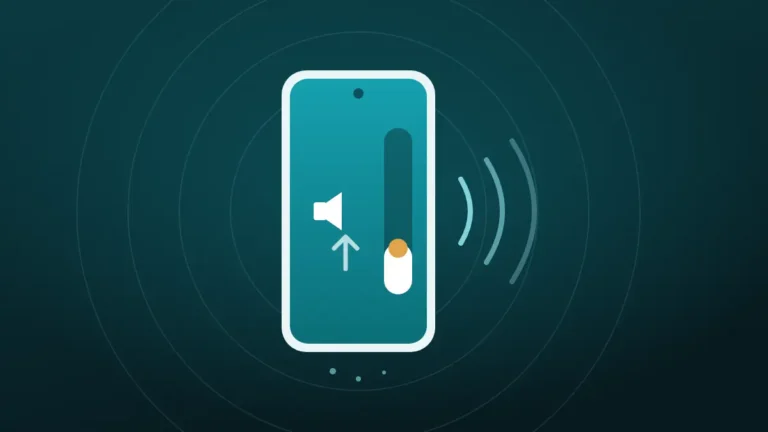
Volume all the way up, speaker pointing down, phone away from your ear. On iPhone, turn Silent mode off first.
What happened to your speaker?
Hold the phone away from your ear. The tones are loud on purpose.
Turn the volume all the way up and point the speaker down.
More options
What Water Does Inside an Android Phone Speaker
A phone speaker is a small diaphragm behind a fine mesh. When water lands on the mesh, surface tension stretches it into a film across the holes, and the diaphragm has to push sound through liquid.
That is why the result is dull and quiet, with a crackle on louder passages.
On a phone with an IP67 or IP68 rating, that film is usually the whole problem, because the speaker opening sits outside the sealed part of the body. Many budget Android phones carry no rating at all. On those, water may have gone further than the grille, which matters later in this guide.
An IP rating is a lab result for fresh water at a set depth and time, and it fades as the phone ages. Google says as much about its own Pixel phones, and the details are in is your water resistant phone actually waterproof.
Either way, the first job is the same. Get the water off the mesh before it has time to leave anything behind.
How to Remove Water From an Android Phone Speaker Step by Step
The cleaner at the top of this page plays the tone in any Android browser, so there is nothing to install. The order of the steps matters more than it looks.
- Unplug the charger and wipe the phone with a soft, dry cloth.
- Take the case off so water cannot run back into the grille.
- Start any video or song, then press volume up until the media slider is full.
- Switch Bluetooth off so the sound stays on the phone.
- Pick It got wet in the cleaner and press Start.
- Hold the phone with the speaker pointing at the floor, away from your ear.
- Wipe off droplets as they appear, then run the cycle again.
Each cycle lasts 30 seconds, and a fine spray or a few beads at the grille in the opening seconds is the sign that it is working. If the phone was fully submerged or is behaving oddly, switch it off and use the method without sound further down.
In a 2024 test reported by The Verge, iFixit engineers soaked four phones, three of them Android, and played an eject tone on each. Every one threw droplets out as soon as the buzzing began, and most of the water left in that first burst. Liquid in the charging port and under the buttons stayed where it was.
Advice elsewhere ranges from 20 seconds to five minutes of continuous tone, but the test points the other way. Two or three short cycles beat one long one, and if the tone sounds weak, the next section explains why.
Why Is the Eject Tone So Quiet on Android?
Android keeps separate volume levels for calls, ringtones, alarms and media. The volume keys often adjust the ringer when nothing is playing, so the bar on screen can look full and the tone still comes out at half strength.
| What you notice | Likely cause | Fix |
|---|---|---|
| Volume looks full, tone is weak | The ringer was raised, not media | Open the volume panel and drag the media slider to the top |
| No sound from the phone | Bluetooth is sending audio to earbuds or a car | Turn Bluetooth off and run it again |
| Loud at first, then capped | A media volume limit is switched on | Check the volume settings for a limit and turn it off for now |
| Loud tone, no droplets | The speaker faces up or sideways | Point the grille straight down |
| Loud tone, grille looks dry | The water is out, or the blockage is dust | Test the sound, then check for lint |
A phone that warns about loud listening is doing its job. Tap through the warning this once, because a quiet tone barely moves the diaphragm.
Some phones offer a second route that skips the browser altogether.
Does Your Phone Already Have a Speaker Cleaner Built In?
A few do, and it is worth ten seconds to check. The tools below play the same kind of tone as the cleaner on this page, so use whichever is closer to hand.
| Brand | Built-in tool | Where to look |
|---|---|---|
| Xiaomi, Redmi, POCO | Clear speaker, a 30-second tone | Settings, then Additional settings, then Clear speaker |
| Samsung Galaxy | None for the speaker | Use a web tool; Samsung only detects moisture in the USB port |
| Google Pixel | None | Use a web tool |
| Other brands | Varies by model and software version | Type “speaker” into the Settings search bar |
The Xiaomi tool has its own walkthrough in the guide to Xiaomi and Redmi speaker dust problems. Samsung owners caught in the rain can go straight to Samsung speaker muffled after rain.
Menus move between software versions, so a missing entry does not mean the phone is faulty, and the web tool works the same on every brand.
Does Vibration Help Push Water Out?
A little, and Android is the one place a website can use it. Chrome, Firefox and Samsung Internet all let a page run the vibration motor after a tap, according to Mozilla’s developer documentation, and Safari on iPhone does not.
The cleaner on this page offers vibration as an extra for that reason. It shakes the whole phone, which can nudge a drop sitting at the edge of the grille. On a phone lying flat on a table, it mostly makes noise.
Sound still does the real work, because only the speaker moves air through the mesh. The honest verdict is in does vibration mode actually help, and it is less exciting than the buzzing suggests.
Clearing the Earpiece and Second Speaker
Many Android phones use the earpiece as a second speaker for stereo sound. It has its own slot above the screen and holds water separately. If calls are muffled but videos sound fine, the water is up there.
Turn the phone upside down so the top edge points at the floor and run the cycle again. On a phone with a single bottom speaker, the earpiece only works during calls, so the tone will not reach it.
In that case, gravity and time are the tools. Rest the phone top-down on a cloth, and see cleaning the earpiece speaker if the call sound stays dull once it is dry.
Removing Water From a Phone Speaker Without Sound
Sound is not always an option. The phone may be switched off, the speaker may be dead quiet, or it may be two in the morning with people asleep down the hall.
Manufacturer advice covers this case. Samsung says to wipe the phone and shake it gently five to ten times with the port facing down. Google tells Pixel owners to power the phone off, dry it with a soft cloth and let it air-dry at room temperature.
- Hold the phone speaker-down and shake it gently a few times.
- Rest it on a dry cloth with the grille at the lowest point.
- Put it in a room with moving air, or in front of a fan on a cool setting.
- Test the sound after an hour, then again later.
This route relies on evaporation, so it is slower. It is also the right first move for any phone without a water rating.
What the Moisture Detected Warning Means
A water drop icon or a “moisture detected” message is about the charging port, and it says nothing about the speaker. Samsung explains that charging is blocked when moisture in the USB port passes a set level, which protects the pins from corrosion.
The eject tone does nothing for the port. Dry it the slow way, with the port facing down and air moving past it.
Samsung also notes that wireless charging still works in the meantime. If the icon stays after the port is clearly dry, the company suggests clearing the cache of the USB Settings system app. The timings are covered in how long to wait before charging a wet phone.
That leaves the question people ask most once the tone has run.
How Long Does It Take for Water to Evaporate From a Phone Speaker?
There is no single figure, and guides that promise one are guessing. The time depends on how much water got in, how humid the room is and whether the tone already pushed most of it out.
| Situation | Typical wait | What helps |
|---|---|---|
| Splash or rain, tone already run | A few hours | Moving air |
| Brief dunk, tone already run | Overnight | Speaker-down on a cloth, fan on cool |
| Dunked with no tone or tapping | Up to a day or more | Run the tone first, then air |
| Salt water, pool water or a sugary drink | Not a waiting problem | Rinse with fresh water, dry, then seek advice |
The clearest sign of progress is speech. Play a podcast at full volume. If the consonants sound crisp and nothing crackles, the film has gone.
Salt water and drinks deserve their own read in saltwater and pool water. Waiting is dull, which is when the household remedies come out.
Hair Dryers, Rice and Compressed Air: What to Skip
Every one of these feels like doing something, and that is their appeal. Some of the best-ranked Android guides still recommend them, including one that suggests holding the phone near a candle.
| Method | What goes wrong | Do this instead |
|---|---|---|
| Hair dryer, heater or candle | Heat softens seals and can warp parts | Cool moving air |
| Bag of rice | Little drying benefit, and starch dust gets into openings | Open air and a fan |
| Compressed air | Can drive water past the mesh | The eject tone |
| Cotton swab, pin or toothpick | Fibers snag and points tear the mesh | Wipe the outside only |
| Vacuum cleaner | Unproven, and a nozzle risks the mesh | Gravity and gentle shaking |
| Removing the battery | Almost no current phone has a removable one | Power off with the button |
That last tip still appears in search answers, a leftover from the days of clip-on back covers. The comparison in rice vs silica gel explains why open air wins.
What If the Speaker Still Sounds Muffled?
Three cycles and a night of drying, and the speaker is still dull. That is disappointing, and it usually has one of three explanations.
- Residue. A drink or salt water has dried into a film across the mesh. Sound cannot shift it, so rinse the grille area with fresh water, dry it and try again.
- Dust. Water can carry pocket lint deeper into the mesh. The method in cleaning phone speaker dust without opening it deals with that.
- Damage. Crackling or rattling at every volume on a dry phone points to the driver itself, which the crackling speaker guide covers.
A phone with no IP rating changes the odds. If it went fully under water, treat the muffled speaker as a symptom of water inside the body. Keep it switched off, keep it off the charger and get it opened by a repair shop.
Should You Keep Trying or Take It to a Repair Shop?
For a rated phone that met plain water, home methods are usually enough. The lists below mark where patience stops paying.
Keep trying at home if:
- The phone has an IP67 or IP68 rating
- The liquid was plain water or rain
- The sound improves with each cycle
- Charging, touch and cameras all work normally
Take it to a repair shop if:
- The phone has no water rating and was submerged
- The liquid was salt water, pool water or a sugary drink
- The speaker is no better after a full day of drying
- The screen flickers, the phone runs hot or the moisture warning will not clear
Liquid damage is rarely covered by a standard warranty, so ask for a quote before agreeing to anything. No rule fits every phone, and a two-year-old flagship earns more patience than a budget model that was never sealed.
Frequently Asked Questions
Will Water Dry Out of a Phone Speaker on Its Own?
Usually, yes. Plain water on the speaker mesh evaporates over a few hours to a day, and the sound returns as it goes. Running an eject tone first shortens the wait. Salt water and sugary drinks are different, because they leave residue behind.
What App Can Remove Water From a Phone Speaker?
No app is needed. A web tool such as the cleaner on this page plays the same low tone in the browser, free and without an install. Play Store apps do the same job, though many add ads or a subscription.
Does the Eject Tone Work on Samsung Phones?
Yes, the tone works on any phone with a working speaker, and Samsung has no built-in speaker cleaner to use instead. Raise the media volume, turn Bluetooth off and point the speaker down before pressing Start.
Can the Eject Sound Damage the Speaker?
There is no evidence that short cycles do, because the tones sit inside the range a speaker plays every day. Keep each run to about 30 seconds and rest between cycles. Stop if a harsh rattle appears on a dry phone.
Is a Phone Without an IP Rating Ruined If It Gets Wet?
Not necessarily, since a quick splash often does no harm and the speaker clears like any other. After full submersion, switch the phone off, keep it off the charger and have it checked, because nothing stops water reaching the inside.
Should You Remove the SIM Tray to Help It Dry?
Wait until the outside is dry. Opening the tray on a wet phone can let water run into the slot. Once the phone is dry to the touch, removing the tray for a while does no harm.
How Do You Know the Water Is Out?
Speech tells you fastest, so play a podcast or voice note at full volume and listen for crisp consonants and no crackle. If one speaker still sounds weaker than the other, that one needs another cycle.
Can You Charge the Phone After Removing the Water?
Not with a cable until the port is dry, and the speaker tone does not dry it. Wait for any moisture warning to clear on its own. Wireless charging is the safer option in the meantime.
Conclusion
Removing water from an Android phone speaker takes a loud, low tone, a full media slider and gravity. Two or three 30-second cycles do more than one long one, and Xiaomi owners have a cleaner built into Settings.
Skip heat, rice and compressed air, and treat the moisture warning as a separate problem at the charging port. If the phone has no water rating and went fully under, a repair shop is the safer call.