Short answer
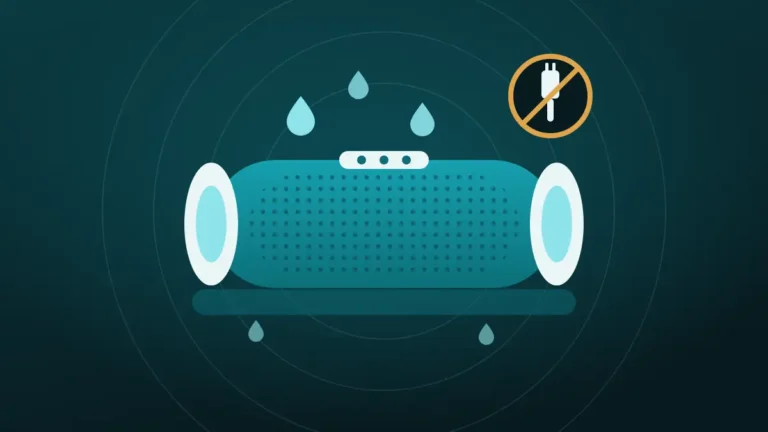
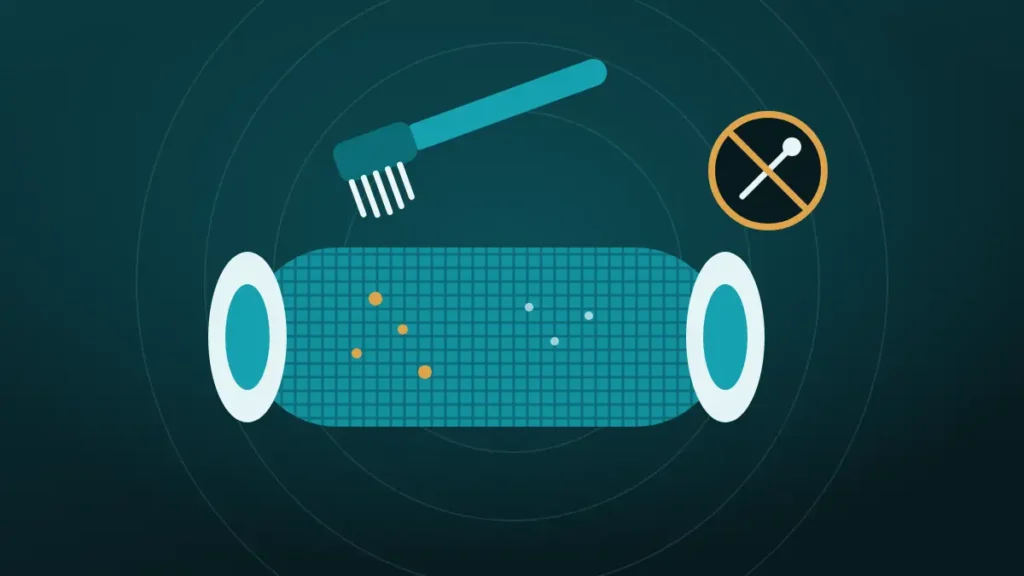
Brush the grille with a soft, dry brush, then wipe it with a damp microfibre cloth. Waterproof JBL models can be rinsed under lukewarm tap water with the port cover closed. Avoid alcohol, and dry the speaker before charging.
A portable speaker goes to the beach, the barbecue and the bathroom, and its grille keeps a record of every trip. Sand in the weave, a ring of dried cola, and a grey film that used to be dust all end up there.
Most cleaning guides reach for rubbing alcohol and compressed air. JBL’s own instructions are simpler, and they rule one of those out by name.
What Does JBL Say About Cleaning Its Speakers?
Very little, and all of it is useful. JBL’s support article for the Flip 5 and Flip 6 says to clean the speaker under lukewarm water from the tap. A microfibre cloth takes care of stains.
The same page says not to use alcohol to remove stains and dirt. It also says not to charge the speaker while the charging port is wet.
| JBL | Sony | Popular guides | |
|---|---|---|---|
| Water | Lukewarm tap water | Fresh water, to wash off dirt | A barely damp cloth only |
| Cloth | Microfibre | Soft and dry, for moisture | Microfibre |
| Alcohol | Not allowed | Not allowed | Often recommended |
| Detergent | Not mentioned | Not allowed | Often recommended |
| Compressed air | Not mentioned | Not mentioned | Often recommended |
| Vacuum cleaner | Not mentioned | Not for removing sand | Sometimes recommended |
Sony explains its ban, saying detergent, thinner, benzine and alcohol damage the water-repellent fabric on the speaker.
So the two makers agree on the important point. Plain water and a cloth are the approved tools, and solvents are not.
Check the Water Rating Before Anything Wet
JBL’s tap-water advice is written for waterproof speakers. Whether it applies depends on the IP rating in the manual or on the box.
| Rating | What it means | Safe cleaning method |
|---|---|---|
| IP67 or IPX7 | Tested for immersion | Rinse under a lukewarm tap, cover closed |
| IPX4 or IPX5 | Splashes or jets only | Damp cloth, no running water over the ports |
| No rating | Not protected | Dry brush and a barely damp cloth |
Recent Flip, Charge, Clip, Go and Xtreme models carry immersion ratings. Larger party speakers are usually splash proof only, and older or budget models may have no rating at all.
The port cover matters as much as the rating. Sony’s guide says the cap must be closed completely for the waterproofing to hold. A speaker with an open cover is not waterproof, whatever the box says.
What You Need, and What to Leave Out
The kit is short, and most of it is already in the house.
| Use | Leave out |
|---|---|
| Soft, dry brush, such as a clean paintbrush | Wire or stiff nylon brushes |
| Microfibre cloths | Paper towels that shed |
| Lukewarm tap water | Hot water |
| A soft toothbrush, for metal grilles | Pins, toothpicks and knives |
| A towel for drying | Hair dryers and heaters |
| A lint roller, for fabric | Alcohol, bleach and glass cleaner |
Hot water is on the right for a reason. Sony warns against pouring high-temperature water on its speakers or blowing hot air at them.
How to Clean a JBL Speaker Grille: Fabric Models
This routine suits the fabric-wrapped models, such as the Flip, Charge, Clip and Go.
- Switch the speaker off and unplug any cables.
- Close the port cover firmly, if the model has one.
- Brush the fabric with a soft, dry brush, working along the weave.
- Roll a lint roller over the fabric to lift hair and fluff.
- Rinse the speaker under a gentle stream of lukewarm tap water.
- Rub stains lightly with a wet microfibre cloth.
- Shake the water out, then wipe the whole speaker with a dry cloth.
- Stand it on a towel and let it air dry before charging.
Steps 5 and 6 are for immersion-rated speakers. On anything else, replace the rinse with a wrung-out damp cloth and dab the fabric clean.
Brushing first matters. Dry dust lifts off easily, whereas wet dust turns to paste and sinks into the weave.
Expect the speaker to sound dull for a while afterwards. Water held in the fabric muffles it until it dries, and that is normal. What to expect is covered in Bluetooth speaker got wet.
How Do You Clean a Metal or Plastic Grille?
With a brush first, then a cloth. Hard grilles are easier to clean than fabric, but the holes lead straight to the drivers.
Brush across the holes with a soft, dry toothbrush, holding the speaker so the grille faces down and loosened dust falls out.
Follow with a damp microfibre cloth, wiping across the surface. On a rated speaker, a rinse under the tap clears whatever is left.
Nothing should go through the holes. A pin or toothpick can reach the driver cone behind the grille and puncture it. The risk is the same as on a phone, as explained in why a pin should never be used to clean a phone speaker.
How Do You Get Sand Out of a Speaker Grille?
Wash it out, and do not try to suck it out. Sand is the one mess where water beats a brush.
Sony is specific about this, saying to wash off salt and sand with fresh water at once and never to use a vacuum cleaner.
Shake the dry speaker first, grille down, and tap it gently against a palm. Then rinse a rated speaker under the tap, turning it so the water runs out through the grille.
Salt needs the same treatment. JBL tells owners to rinse the speaker with fresh water after the pool or the ocean. Salt and chemicals can damage the seals and finish over time.
An unrated speaker cannot be rinsed. Brush the sand out with the grille facing down, and accept that a few grains will stay. It was a brave choice for the beach anyway.
Sticky Spills, Stains and Mildew
Different messes need slightly different handling, though water does most of the work.
| Mess | Rated speaker | Unrated speaker |
|---|---|---|
| Dust and fluff | Dry brush, lint roller | Dry brush, lint roller |
| Dried drink or food | Rinse with lukewarm water, rub with a wet cloth | Dab with a damp cloth, repeat |
| Mud | Let it dry, brush off, then rinse | Let it dry, brush off, dab |
| Sunscreen or grease | Lukewarm water and patient rubbing | Damp cloth, several passes |
| Salt crust | Rinse thoroughly | Damp cloth, then a dry one |
| Musty smell | Rinse, then dry fully in moving air | Dry fully in moving air |
Grease is the stubborn one. A drop of mild soap would shift it faster, but that goes beyond what JBL and Sony allow. Lukewarm water and several passes are the safer route.
Mildew comes from storage. A speaker put away damp in a bag stays damp, and the fabric starts to smell. Dry it in open air after every wet use.
Passive Radiators, Buttons and the Charging Port
The grille is the tough part of the speaker. The parts around it need a lighter touch.
Passive radiators are the rubbery discs at the ends of many JBL models. They move with the bass, and they are thin. Wipe them with a damp cloth, and do not press or poke them.
Buttons collect grime around their edges. A damp cloth over a fingertip clears that, with no need for anything sharp.
The charging port needs to stay dry. Wipe around the cover, open it only when the speaker is dry, and check inside for moisture. JBL’s advice is to dry the charging port completely before plugging in power.
Can You Use Alcohol or Soap on a JBL Speaker?
Alcohol, no. JBL says not to use it for stains and dirt, and Sony says it damages water-repellent fabric.
Soap is less clear. JBL mentions only water and a cloth, and Sony rules detergent out. Neither maker approves it.
Many guides suggest 70 or 90 percent isopropyl alcohol for speakers. That advice comes from phone cleaning, where it suits glass and metal. Coated fabric and rubber seals are different materials.
Disinfecting is the usual reason people reach for a wipe. A rinse and a full dry is as far as the makers’ guidance goes.
Mistakes That Damage a Speaker Grille
Most damage comes from trying too hard.
| Mistake | What goes wrong |
|---|---|
| Alcohol or solvent on fabric | Strips the water-repellent coating |
| Compressed air at close range | Drives dust further in and can stress the driver |
| Vacuuming sand | Sony warns against it |
| Poking through the holes | Punctures the cone or dents the grille |
| Prying the grille or fabric sleeve off | Breaks clips and glue, and can end the water resistance |
| Rinsing with the port cover open | Lets water into the connectors |
| Hair dryer or direct sun to dry | Heat harms the battery, seals and glue |
| Charging while damp | Corrodes the port |
Removing the grille is the tempting one. Videos show fabric sleeves being levered off and washed separately. Portable speakers are not designed for that, and the seals rarely go back as they were.
Does a Clean Grille Sound Better?
Sometimes, and mostly at the top end. A layer of dust and lint over the openings dulls the treble a little.
A grille clogged with sand, mud or dried drink is a bigger obstacle. Clearing it brings back detail and some loudness.
Expectations should stay modest. A lightly dusty grille makes almost no audible difference, so cleaning it is mainly about looks and hygiene. Phones are more sensitive to this, as described in how to clean phone speaker dust without opening it.
When Cleaning Will Not Fix the Sound
A clean grille does not repair a speaker. It helps to know when to stop scrubbing.
Clean again when:
- Dirt or sand is still visible in the grille
- The sound improved after the first clean
- The speaker is still drying and sounds dull
- A sticky patch remains on the fabric
Look elsewhere when:
- The grille is clean and dry, and the sound still crackles or buzzes
- A passive radiator is torn, dented or stuck
- The speaker distorts at volumes it used to handle
- It will not charge, or the port shows green or white deposits
Crackling and buzzing point to the driver, and no amount of rinsing reaches that. Contact the maker’s support if the speaker is under warranty.
Frequently Asked Questions
How Do You Clean a JBL Speaker Grille?
Brush the grille with a soft, dry brush to lift dust. Then wipe it with a damp microfibre cloth. Waterproof models such as the Flip can be rinsed under lukewarm tap water with the port cover closed. Dry the speaker fully before charging it.
Can You Wash a JBL Speaker With Water?
Yes, if it is a waterproof model. JBL says to clean the Flip 5 and Flip 6 under lukewarm water from the tap. Close the port cover first, and dry the charging port before plugging it in. Splash-proof and unrated speakers need a damp cloth.
Can You Use Alcohol Wipes on a JBL Speaker?
No. JBL says not to use alcohol to remove stains and dirt, and Sony warns that alcohol damages the water-repellent fabric on its speakers. Use lukewarm water and a microfibre cloth, which is what both makers describe.
How Do You Get Dust Out of a Speaker Grille?
Use a soft, dry brush and work across the grille with the speaker facing down. A lint roller lifts hair and fluff from fabric. Follow with a damp microfibre cloth. Brush before wetting anything, because wet dust sinks into the weave.
Can You Remove the Grille on a JBL Speaker?
It is best left on. The fabric and grille on portable JBL speakers are clipped and glued as part of the sealed body. Prying them off can break the clips and compromise the water resistance. The grille can be cleaned well in place.
How Do You Clean a JBL Speaker After the Beach?
Shake the sand out with the grille facing down, then rinse the speaker with fresh water. JBL advises rinsing after the ocean or a pool, because salt and chemicals can damage seals over time. Dry every cover and crevice afterwards.
Can You Use Compressed Air on a Speaker Grille?
It is better avoided, since neither JBL nor Sony lists compressed air for cleaning and a close blast can push dust deeper or stress the driver. A soft brush and a rinse do the same job with less risk.
How Often Should You Clean a Portable Speaker?
Rinse or wipe it after every trip to the beach or pool. Otherwise a brush and a damp cloth every month or two is enough for most speakers. Clean spills straight away, since dried sugar is much harder to shift.
Conclusion
The safest way to clean a JBL speaker grille is also the simplest. Brush it dry, rinse or wipe it with lukewarm water, and rub stains with a microfibre cloth.
Check the water rating before using the tap, and keep the port cover closed. Leave alcohol, compressed air and sharp tools out of it. Then let the speaker dry fully, and make sure the charging port is dry before it goes back on power.