Short answer
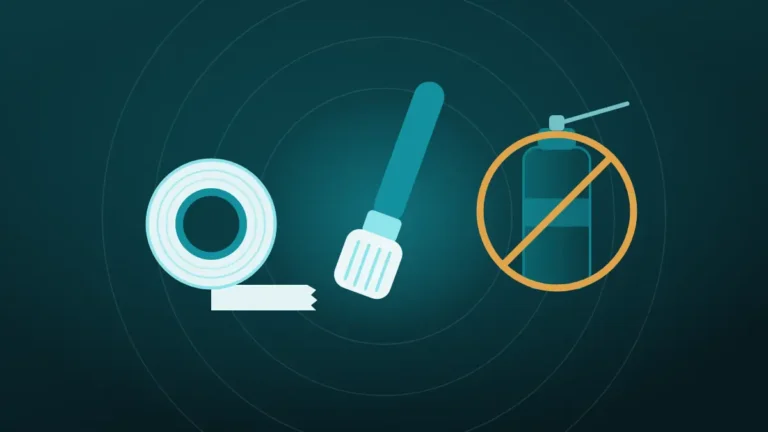
Do not use a pin to clean a phone speaker. The point tears the fine mesh behind the holes, can dent the speaker itself, and pushes dirt deeper. A soft dry brush and low-tack tape do the job without touching anything fragile.
The holes are tiny, the lint is right there, and a pin is exactly the right size. It looks like precision work, one careful scrape per hole and the speaker good as new.
That neat fit is the problem. A pin goes exactly where the dirt is, and then a little further, into a part that was never meant to be touched.
Clear the speaker now
Volume all the way up, speaker pointing down, phone away from your ear. On iPhone, turn Silent mode off first.
What happened to your speaker?
Hold the phone away from your ear. The tones are loud on purpose.
Turn the volume all the way up and point the speaker down.
More options
What Sits Behind the Speaker Holes?
The row of holes on the edge of a phone is only a cover. The parts that matter are stacked just behind it, closer than most people assume.
First comes a fine mesh, usually a woven fabric or a perforated film, glued across the back of the holes. It keeps lint and grit out, and on water-resistant phones it is part of the barrier against liquid. Behind the mesh is a small air gap, and then the speaker’s diaphragm.
The whole stack is shallow, and on many phones the mesh sits a millimetre or two inside the frame, well within reach of a sewing pin.
Lint collects on the outer face of that mesh. Anything pushed into a hole meets the lint first and the mesh a moment later.
What a Pin Does in There
A pin can do three different kinds of harm, and one poke can manage all of them.
| Damage | What happens | What it sounds like afterwards |
|---|---|---|
| Torn or punctured mesh | The point passes through the weave and leaves a hole | Often no change at first |
| Dirt packed deeper | Lint is pushed through the mesh or compressed against it | More muffled than before |
| Dented or pierced diaphragm | The tip reaches the speaker’s moving surface | Buzzing, rattling or distortion |
The mesh is the usual casualty. It is far thinner and softer than a steel point, and it offers almost no resistance, so the person holding the pin feels nothing unusual.
Packing is the common one that people do notice. A pin has no way to grip lint and lift it out, so it can only spear it or shove it, and in a hole this narrow, shoving wins.
Why Does It Seem to Work?
Sometimes the speaker really does sound louder straight afterwards, which is what keeps the advice alive.
There are two explanations, and neither is good news. The pin may have pushed a plug of lint through the mesh, clearing the hole by moving the blockage inside. Or it may have torn the mesh, and a mesh with a hole in it lets more sound through.
Either way the improvement is real and temporary. The lint is now inside the speaker chamber, or the filter that kept lint out is broken. The bill arrives a few months later.
What a Torn Mesh Costs Later
A mesh with a hole in it has stopped doing its job. Everything that used to collect harmlessly on the outside now has a way in.
Dust and pocket lint pass straight to the diaphragm and settle on it, while sand and grit do the same and start to rattle. None of that can be brushed away afterwards, because it is now behind the barrier.
Water resistance suffers too. The mesh and its adhesive are part of what keeps liquid out of the speaker chamber, and a puncture is an open door. A phone that used to shrug off rain may not shrug off the next shower. The limits of those ratings are covered in is a water-resistant phone actually waterproof.
Are Toothpicks, SIM Tools or Tweezers Any Safer?
Each of these gets recommended somewhere as the gentle alternative. None of them changes the basic problem, which is a hard tip going into a hole with a soft mesh behind it.
| Tool | Why people choose it | Why it still fails |
|---|---|---|
| Sewing pin or needle | Fits the holes exactly | Sharpest tip, tears mesh most easily |
| Safety pin | Always to hand | Same point, less control |
| SIM eject tool | Came in the phone’s box | Blunt, so it packs lint instead of piercing it |
| Paperclip | Looks harmless | Thick and stiff, dents the mesh |
| Wooden toothpick | Softer than metal | Still harder than the mesh, and it can splinter |
| Tweezers | Can grip a fibre | Tips spread and scratch as they close |
| Interdental brush | Has bristles | Wire core and stiff bristles made for teeth |
The wooden toothpick is the one that well-meaning guides suggest most often. Wood is kinder than steel, and a mesh is kinder still. A splinter left in a hole is a new blockage that no brush will shift.
As for the SIM tool, it earns a special mention for irony, since it arrives in the box with the phone and so feels approved for the job.
Can You Use a Pin to Clean a Phone Speaker If You Are Careful?
This is the usual objection, and it is a fair question. Plenty of people have done it and seen no harm. A friend’s phone survived, so the risk must be overstated.
The trouble is that nobody can see what care would require. The mesh is hidden inside a hole less than a millimetre wide, with no way to judge depth and no feedback through the pin when the tip arrives. Being careful needs information that the task does not supply.
Survivors also tell only half the story. A torn mesh gives no sign on the day, so the person who did the damage reports success, and the muffled speaker a year later gets blamed on age.
The Other Small Hole People Poke
Speaker grilles are not the only target. Most phones have one or two single pinholes on the top or bottom edge, and those are microphones.
They get poked by accident, because one of them often sits close to the SIM tray. Samsung publishes a guide on telling the SIM tray hole from the microphone hole. It warns that putting the pin in the wrong one can damage internal components.
The picture is less grim than it sounds. iFixit took phones apart and found that the sound channel behind a microphone hole is often L-shaped, so a straight tool stops before it reaches the microphone. One accidental poke rarely does lasting harm.
A speaker grille has no such bend. The mesh sits directly behind the holes in a straight line, which is why the comparison offers no comfort.
What About the Charging Port?
The charging port is a different kind of opening. It is an open socket with metal contacts and no mesh, and lint really does get packed into the back of it.
Metal is still the wrong tool. A pin can scratch or bend the contacts, and on a phone that is switched on it can bridge them. Repair shops use plastic or wooden picks for this, with the phone powered off.
Apple’s guidance for a wet connector is blunt, telling owners not to insert a foreign object into it. For a port that is merely linty, a shop will usually clear it in a minute at little or no charge.
What Phone Makers Say to Use Instead
No phone maker tells owners to put anything into a speaker hole. Their advice points the other way.
| Maker | Advice for a dirty speaker opening |
|---|---|
| Apple | Clean it with a small, soft-bristled brush that is clean and dry |
| Samsung | Use a soft brush lightly, and avoid air guns |
| Wipe gently with a soft, lint-free cloth |
Apple’s wording comes from its page on sound problems with the iPhone speaker. Samsung’s appears in its guidance on noise from the speaker. All three describe tools that touch only the surface.
What to Use Instead of a Pin
The safe method lifts dirt outward. It takes about five minutes and needs nothing sharp.
- Hold the phone with the speaker facing the floor.
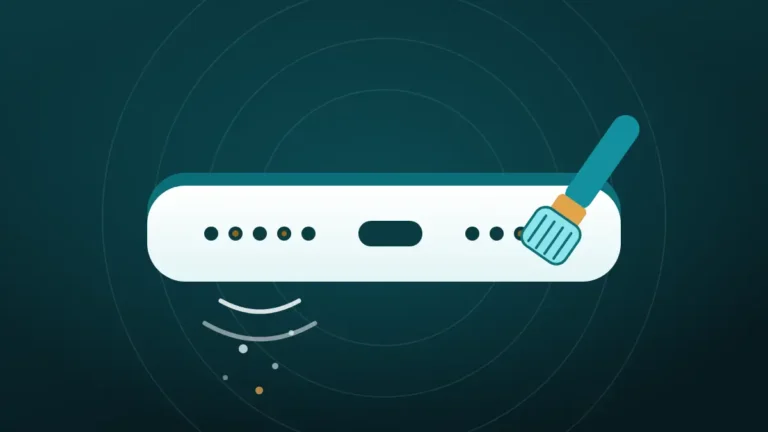
- Brush across the grille with a clean, dry, soft toothbrush, using only the bristle tips.
- Press a flat strip of painter’s tape over the grille and peel it away.
- Run the Muffled or dusty cycle in the cleaner at the top of this page.
- Brush once more and check with a flashlight.
Bristles are thinner than a pin and far softer, so they bend when they meet the mesh. Tape grips lint and pulls it out the way it came. The tone shakes loose what the brush freed.
The full routine is in how to clean phone speaker dust without opening it, and the tools are compared in soft brush, tape or compressed air.
How Do You Check for Damage After Using a Pin?
If the pin has already been used, there is no need to panic, since many speakers survive one attempt. A few checks show where things stand.
- Shine a flashlight straight into the grille and look at each hole in turn.
- Play a clip of someone speaking at low volume, then at medium volume.
- Play a bass-heavy song at medium volume and listen for buzzing.
- Compare the sound with the case off and the phone held at different angles.
| What the check shows | What it means |
|---|---|
| Every hole looks the same, with an even grey mesh | No visible damage |
| One hole looks darker, deeper or shiny | The mesh there is probably torn or pushed in |
| Speech is clear at low volume | The diaphragm is likely unharmed |
| A buzz or rattle on bass notes | Possible dent, or debris resting on the diaphragm |
| Sound is more muffled than before | Lint was packed in |
Clear speech and even-looking holes are a good result. Carry on with a brush from now on and keep the pin for sewing.
If the Mesh Is Torn
A torn mesh cannot be mended from outside. There is no patch that fits through a hole a millimetre wide, and tape over the grille muffles the sound more than the lint ever did.
The speaker will usually keep working for a while, and what changes is the future. Dust now reaches the diaphragm freely, and the phone should be treated as no longer water resistant at that opening.
A repair shop can replace the mesh, or the small speaker module that carries it, and reseal the phone. It is among the cheaper repairs. Until then, keep the phone away from water and out of sandy pockets.
If buzzing or crackling has already started, crackling phone speaker explains how to tell a blockage from a damaged driver.
Will It Affect the Warranty?
It can. Warranties cover manufacturing defects, and damage caused by the owner is excluded.
A technician who finds a punctured mesh or a pierced diaphragm will treat it as accidental damage. Samsung states outright that inserting the ejection pin into the microphone hole can void the warranty, and a speaker is unlikely to be judged more kindly.
Brushing the outside of a grille leaves no marks and opens nothing, so it raises no such question.
Should You Leave It or Get It Repaired?
After a pin, the right move depends on what the checks found. Most cases fall clearly on one side.
Leave it alone and carry on when:
- All the holes look alike under a flashlight
- Speech is clear and nothing buzzes
- The speaker sounds the same as before, or better
Book a repair when:
- A hole looks torn, dark or pushed in
- The speaker buzzes, rattles or crackles at normal volume
- The sound is clearly more muffled than it was
- The phone is often used near water
There is rarely any urgency. A speaker with a small tear can last a long time in a clean, dry pocket, and far less time on a beach.
Frequently Asked Questions
Can You Use a Needle to Clean a Phone Speaker?
No. A needle is sharper than a pin and tears the mesh even more easily. It also pushes lint further in. Use a clean, dry, soft-bristled brush across the grille instead, and lift loosened lint with low-tack tape.
Is a Toothpick Safe for Cleaning Phone Speaker Holes?
No, although it is often recommended. Wood is softer than metal and still harder than the mesh behind the holes. A toothpick packs lint in, can dent or pierce the mesh, and may leave a splinter behind.
What Happens If You Poke a Phone Speaker With a Pin?
Often nothing obvious at first. The pin may tear the mesh without changing the sound, or push lint deeper and make the speaker more muffled. If the tip reaches the diaphragm, the speaker can buzz or distort. Check each hole with a flashlight and test with quiet speech.
Can You Use a SIM Tool to Clean a Speaker?
No, because a SIM eject tool is blunt, so it compresses lint against the mesh instead of removing it and can still dent or puncture it. It was designed for one hole on the phone, and the speaker grille is not it.
What Can You Use to Clean Out Phone Speaker Holes?
Use a soft, dry brush, low-tack tape and a cleaning tone. The brush sweeps lint off the mesh and the tape lifts it out. The tone then shakes loose particles free. All three work from the outside and none of them enters the holes.
Can You Clean a Charging Port With a Safety Pin?
It is better not to. A metal pin can scratch or bend the charging contacts, and it can short them if the phone is on. Repair shops use plastic or wooden picks with the phone switched off, and many will clear a linty port for free.
Can a Torn Speaker Mesh Be Fixed?
Yes, by a repair shop. The mesh, or the speaker module it is attached to, can be replaced and the phone resealed. It cannot be patched from outside. Until it is fixed, keep the phone away from water, sand and dusty pockets.
Does Putting a Pin in the Microphone Hole Break It?
Usually not, though it is still worth avoiding. iFixit found that the channel behind a microphone hole is often L-shaped, so a straight tool stops short of the microphone. Samsung warns that it can damage internal components and void the warranty.
Conclusion
A pin fits a speaker hole perfectly, and that is exactly why it should stay out. The mesh behind the grille is thinner and softer than any pointed tool, and a tear in it lets dust and water reach the speaker for good.
Use a soft dry brush, low-tack tape and a cleaning tone. If a pin has already been in there, check the holes with a light, test with quiet speech, and see a repair shop if anything buzzes.